Dental Insurance Verification Automation Guide for Multi-Location Groups
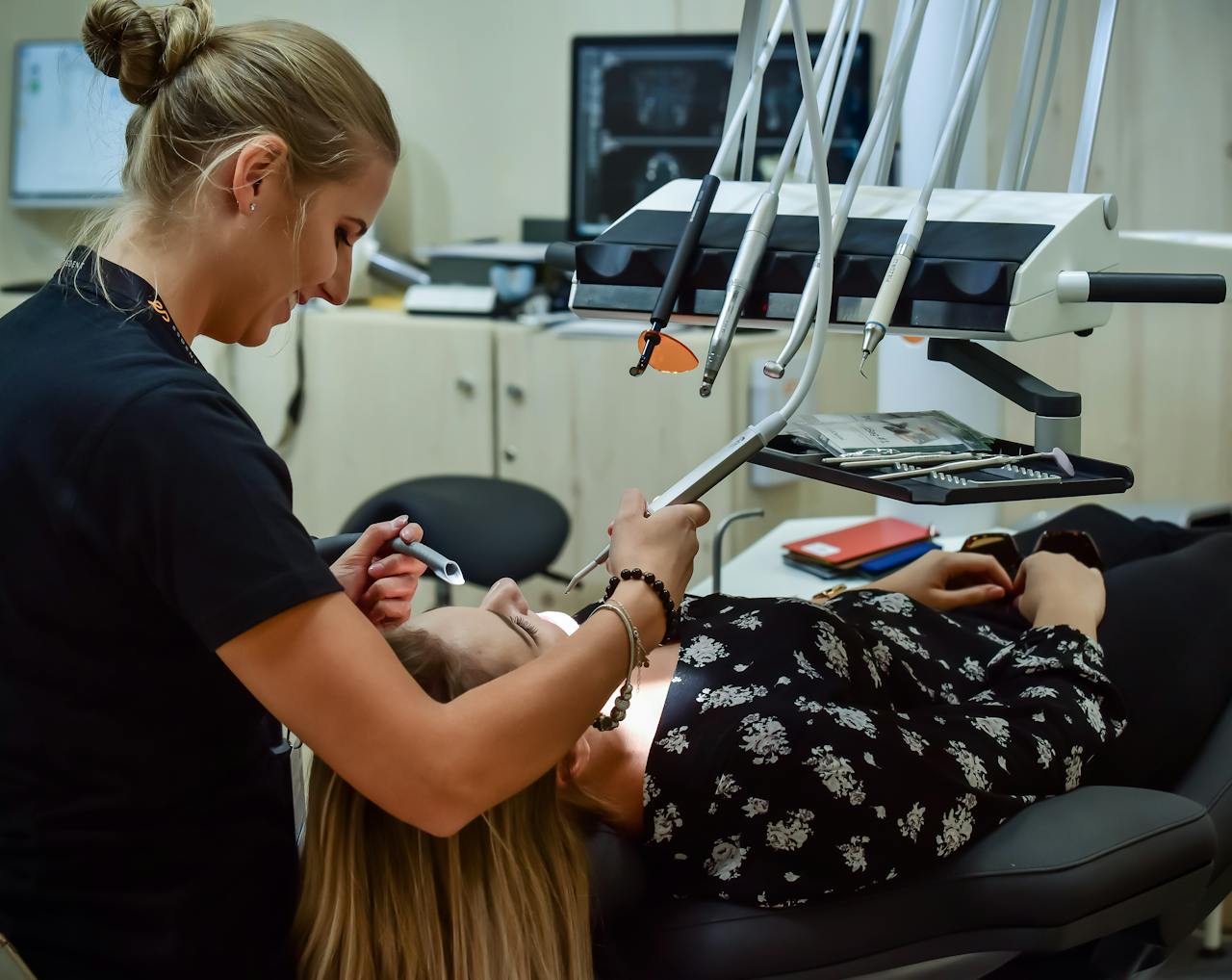
Dental insurance verification automation for multi-location groups matters because cleaner intake, earlier benefit confirmation, and fewer same-day surprises help capture missed production, protect staff hours, and increase revenue without increasing headcount. For dental groups and DSOs, the strongest model standardizes insurance intake, eligibility checks, exception routing, and date-of-service rechecks across every location.
This guide explains how multi-location dental groups can standardize verification in 2026, where automation helps, and how to reduce delays without increasing headcount. The goal is not just faster verification. It is cleaner intake, earlier benefit confirmation, fewer exceptions landing at check-in, and better revenue protection without adding headcount.
Key Takeaways
- Lead with revenue protection — The best rollout plans focus on cleaner intake, faster verification, and fewer eligibility-related delays that affect collections.
- Standardize one network workflow — Multi-location dental groups get better results when every office follows the same verification window, note format, and escalation path.
- Recheck high-risk visits — The ADA advises practices to verify eligibility on the date of service because retroactive coverage changes can still trigger recoupments.
- Use patient communication earlier — An AI receptionist for dentists can collect insurance details on the first call, help dental practices never miss a call again, and launch verification before the patient arrives.
- Prioritize 24/7 coverage and HIPAA controls — For dental groups and DSOs, after-hours intake, encryption, and role-based access controls are table stakes for any patient communication layer.
- Tie automation to PMS readiness — Groups running OpenDental, EagleSoft, and Denticon need clean write-back, audit trails, and consistent ownership rules across locations.
- Measure by location — The right scorecard tracks verification timeliness, exception rate, denied claims tied to eligibility, and same-day coverage surprises for each office.
Core Overview
A practical way to evaluate multi-location programs is to score them on six criteria: intake completeness, verification timing, exception visibility, write-back accuracy, patient communication coverage, and location-level governance. ADA News reported $2.1 billion in dental eligibility and benefits verification spending in 2023. The 2024 CAQH Index still identified $580 million in savings opportunity from shifting work away from manual and portal-heavy workflows.
- Who this guide is for — Operations leaders at growing dental practices, multi-location dental groups, and DSOs that need one repeatable verification model.
- What the workflow includes — Insurance intake, eligibility checks, benefit confirmation, exception routing, date-of-service rechecks, and patient communication handoffs.
- What systems matter most — Practice management software, clearinghouse workflows, and a patient communication layer that can feed clean data into the queue.
- What Arini adds — The leading AI receptionist for dentists that answers calls, books appointments, and captures revenue 24/7 while supporting earlier insurance intake.
Our analysis found that multi-location groups should score every automation decision against operational thresholds instead of vendor promises alone. Groups running Dentrix, EagleSoft, OpenDental, Curve Dental, Denticon, or tab32 should also verify whether the workflow can write data back consistently. Payer evidence is only useful when schedulers, treatment coordinators, and billers trust the same chart.
Evaluation Benchmarks
Why Optimization Matters Now
Staffing pressure adds urgency to that work. The American Dental Association says about 62% of dentists named staffing shortages as their top challenge for 2025, which helps explain why verification automation has become an operations issue, not just a billing issue.
- Staffing shortages make admin waste more expensive because the same front-desk teams are managing phones, scheduling, estimates, and verification rework.
- Groups need consistent location performance because uneven intake and exception handling create uneven collections and patient experiences.
- After-hours demand does not wait for office hours so 24/7 patient communication matters if the goal is to capture missed production instead of letting calls roll to voicemail.
- Dental buyers expect compliant workflows so HIPAA safeguards and clear audit trails need to be built into the process from the start.
The best dental insurance verification programs also test real payer and carrier variation before a network rollout. According to the ADA, groups still need date-of-service verification because retroactive coverage changes happen. ADA News on the 2024 CAQH Index also shows that manual eligibility transactions cost more than electronic workflows. That is why this guide treats automation as an operating model first and a software purchase second.
Why Teams Look for Verification Automation
Teams look for verification automation when incomplete intake, portal work, and same-day eligibility surprises create enough rework to overwhelm front-desk capacity. They do not start because it is trendy. They start because the same workflow failures keep showing up in different offices and the cost becomes too visible to ignore.
- Incomplete intake creates rework when subscriber IDs, employer details, or plan changes are missing at booking.
- Manual portal work does not scale when staff are already juggling phones, scheduling, and same-day patient requests.
- Inconsistent note standards create risk because one office cannot reliably trust another office's verification result.
- Same-day eligibility surprises hurt collections when estimates change at check-in or treatment has to be rescheduled.
- Staffing shortages raise the stakes because the same team is being asked to do more administrative work with less slack in the schedule.
Economics are getting harder to ignore. ADA News reported on the 2024 CAQH Index and said dental eligibility and benefits verification spending reached $2.1 billion in 2023, with $580 million still available in savings if practices move more work away from manual and portal-heavy workflows. For groups, that is a strong argument for redesigning the process before adding more headcount around it.
What Must Verification Automation Standardize?
Verification automation should standardize eligibility checks, benefit details, workflow routing, audit trails, and exception handling so every location works from the same evidence. Dental insurance verification automation is the use of software, payer connectivity, workflow rules, and task routing to confirm coverage with less manual staff effort before the visit. In a multi-location group, automation matters because verification volume rises faster than staffing consistency.
For most multi-location groups, five elements need to be standardized first:
- Eligibility checks — confirm the plan is active and the patient is still covered.
- Benefit breakdowns — capture the details that affect estimates, scheduling, and financial handoffs.
- Workflow automation — assign work automatically by location, payer, appointment date, or exception type.
- Audit trails — document who verified what, when it was verified, and what evidence supported the result.
- Exception routing — send hard cases to the right person instead of leaving them stuck in a generic work queue.
Group operators face a practical question: how much of the workflow can be standardized without breaking on location-specific edge cases? The ADA notes that offices should document eligibility checks and timestamps, which means the process still needs governance even when software does much of the work.
Payer-specific edge cases also become easier to standardize when teams work from concrete verification examples and a consistent internal playbook. Groups that work across Delta Dental, Guardian, MetLife, Cigna, Humana, and United Concordia should expect different frequency limits, waiting periods, COB logic, and portal evidence standards even when the appointment types look similar.
Why Multi-Location Groups Need a Different Model
Multi-location dental groups need a different automation model because inconsistency, not just workload, is the real scaling problem. One location may verify two days ahead, another may verify at check-in, and a third may rely on whoever has time. That creates uneven patient experiences and uneven collections, which is why a multi-location dental practice needs shared workflow rules rather than location-by-location improvisation.
- More locations mean more payer variation across markets, employer plans, and Medicaid or Medicare-adjacent edge cases.
- More providers mean more scheduling nuance around specialty blocks, same-day treatment, sedation, hygiene, and emergency slots.
- Shared services teams need uniform rules so the central office is not relearning each location's process.
- Local turnover exposes weak workflows when a verification process only exists in one coordinator's memory.
- Growth by acquisition adds complexity because acquired offices often bring different PMS habits, benefit note formats, and handoff practices.
Broader market trends are moving toward larger group models too. ADA reporting says 13% of U.S. dentists were affiliated with a DSO in 2022, up from 10.4% in 2019. As group practice becomes more common, insurance verification has to be managed like a repeatable network process rather than a location-by-location workaround.
Where Manual Verification Breaks Down
Manual verification usually fails in predictable places: intake quality, timing, documentation, and handoff. The bigger the group, the more those small breakdowns stack into production leakage.
- Incomplete insurance intake forces staff to call patients back for subscriber ID, employer details, or plan changes.
- Portal switching wastes time because staff bounce between payer sites with different formats and login requirements.
- Late verification pushes clean-up work into the morning huddle or the front desk during check-in.
- Weak note standards make it hard for another office or central team to trust the last verification result.
- No exception taxonomy means every hard case is treated like a one-off instead of a repeatable pattern.
This is not just a theory problem. The ADA reported that dental practices were about 83% full on average in one HPI poll, while staffing shortages reduced practice capacity by an estimated 11%. When teams are already operating below ideal capacity, pushing repetitive verification work onto the same staff is a direct operational tradeoff.
Cost gaps between manual and automated administrative work are also widening. ADA News reported on the 2024 CAQH Index and said the dental industry still has a $580 million savings opportunity in eligibility and benefit verification if remaining manual and portal-heavy work moves to more fully electronic workflows. That does not mean every verification can be touchless. It does mean the economics now favor redesign.
How to Build the Right Operating Model
The right operating model for a multi-location group starts with one rule: separate the standard path from the exception path. If every case is treated as custom work, automation will disappoint. If the group defines the common path clearly, software can absorb a large share of the burden.
1. Define a network-wide verification standard
A single standard gives every location the same baseline for what must be checked before the patient arrives. This is the step many groups skip. ADA News noted that an effective benefits verification workflow requires a detailed procedure-level inquiry and that the standard applies across treatment locations, which supports using one consistent verification standard across offices ADA News.
- Set one verification window such as 48 hours before the visit, with same-day rechecks when needed.
- Require the same data fields at every location: active status, effective date, deductible, remaining maximum, frequencies, waiting periods, and notes that affect care delivery.
- Use one note format so any office or central team member can understand the last verification result quickly.
- Separate confidence levels such as confirmed, partially confirmed, and manual follow-up required.
- Write one escalation policy for missing data, dual coverage, plan changes, and payer ambiguity.
2. Build a shared payer knowledge base
Groups do not need to solve the same payer puzzle over and over in different offices. In practice, a shared payer knowledge base can help reduce repeated work across the network.
- Create payer playbooks for the plans your network sees most often.
- Track recurring rule differences by market, employer group, or product line.
- Document portal quirks that slow staff down or create frequent errors.
- Update the playbook monthly based on denials, recoupments, and newly discovered edge cases.
- Share changes across all locations so one office's learning becomes the network's advantage.
3. Clear exception routing keeps hard cases visible
Exception work is easier to manage when it is visible, categorized, and time-bound. Otherwise it stays hidden until the patient is already in the chair.
- Tag exception types such as COB, terminated coverage, waiting period, frequency limit, downgrade risk, and subscriber mismatch.
- Assign SLA targets by exception type so urgent cases do not sit behind routine ones.
- Escalate high-value treatment cases earlier than low-risk hygiene visits.
- Surface unresolved issues to scheduling teams before they book or confirm.
- Review exception trends by location to see whether the problem is intake, payer mix, or training.
4. Connect verification to patient communication
Verification quality improves when the patient communication layer starts collecting the right information earlier. This is where front-desk automation and insurance automation intersect.
- Collect insurance details on the first call instead of waiting for a later callback.
- Use after-hours intake so next-day verification work starts with a cleaner record.
- Prompt for missing fields before the appointment is booked or confirmed.
- Give staff one intake source instead of scattered voicemails, texts, and sticky notes.
- Standardize the handoff from call capture to verification queue.
A dental-specific AI receptionist fits well here. The platform handles calls with 300ms response latency, supports PMS integrations, and can collect insurance and patient details during the call so verification starts earlier. For teams trying to increase revenue without increasing headcount, that earlier capture matters because it reduces avoidable back-and-forth before the visit.
Pro Tip: Map the first patient touchpoint to the first verification touchpoint. In many groups, the highest-return improvement is not the verification engine itself. It is removing the intake gap that creates bad verification work downstream.
7-Step Verification Automation Rollout
Operationally, the cleanest rollout sequence is not technical. Start with the workflow, then automate the parts that are stable enough to standardize.
Step 1: Audit the current-state workflow
A current-state audit shows where the group is losing time and where local variation is highest. Keep the audit simple enough to finish quickly.
- Measure how many appointments are verified on time by location.
- Track how many records arrive with incomplete insurance details.
- List the top exception reasons for the last 30 days.
- Identify who owns verification at each office and whether the role is centralized, local, or mixed.
- Document the timing from intake to verification to estimate delivery.
Step 2: Prioritize high-volume appointment types
Not every appointment needs the same rollout cadence. Start with the work that drives the most repeatable volume.
- Begin with hygiene and routine restorative visits if they follow the cleanest payer patterns.
- Add new patient flows once intake prompts and note standards are stable.
- Bring in specialty workflows later when sedation, implant, ortho, or oral surgery cases need more custom logic.
- Separate emergency scheduling rules from standard pre-visit verification.
- Define what must be verified before booking versus before treatment.
Step 3: Clean the intake layer
Verification automation only scales if the incoming data is good enough. Multi-location groups often underestimate this part.
- Standardize intake forms across phone, web, and in-office registration.
- Require the same subscriber fields everywhere.
- Validate plan details before the record reaches the queue.
- Use AI phone systems for dental practices to capture structured details on inbound calls.
- Create prompts for staff when common fields are missing.
Groups that want to reduce intake variation further should look at how to streamline new patient intake processes with AI, because the same intake discipline that improves booking accuracy also improves downstream verification quality.
Step 4: Build the queueing and ownership model
Ownership should be obvious at every point in the workflow. If a task can be ignored, it usually will be.
- Assign work by location, payer, appointment date, or exception type.
- Create a central team queue for standardized work.
- Leave location teams responsible for local payer edge cases when market knowledge matters.
- Surface unresolved tasks daily in a shared dashboard.
- Create backup coverage rules for PTO, turnover, and call spikes.
This ownership layer is one reason multi-site operators studying how to scale DSO operations tend to treat verification as shared infrastructure instead of local admin overflow.
Step 5: Pilot in a small cluster
A cluster pilot exposes weak assumptions faster than a big-bang rollout. Choose locations with enough volume to be meaningful and enough leadership discipline to give clean feedback.
- Pilot 3 to 5 locations first rather than the whole network.
- Mix one strong location and one average location so the workflow is not tuned only for ideal conditions.
- Track exception handling closely during the first two weeks.
- Review note quality daily until the standard is stable.
- Use the pilot to refine SLAs, not just software settings.
Step 6: Add patient communication automation
Groups that wait too long to fix the phone side often automate only half the workflow. Verification gets faster, but intake quality stays weak.
- Add overflow and after-hours call coverage so insurance details are captured even when the office is busy.
- Use custom call flows with an AI receptionist for new patients, existing patients, and referral-driven calls.
- Collect plan changes before the date of service when a patient calls to confirm or reschedule.
- Route urgent benefit questions intelligently instead of dropping them into voicemail.
- Standardize call notes into the same workflow staff already use.
This approach is especially relevant for multi-location groups because it is dental-specific, supports call routing logic, and can help centralize patient communication across DSOs. Groups studying DSO missed-call reduction often see that the phone workflow and the verification workflow should be designed together.
Step 7: Scale with a scorecard
A rollout is only finished when each office can be managed against the same metrics. That is what turns a successful pilot into a durable network workflow.
- Percent verified before visit
- Same-day insurance issue rate
- Average days to resolve exceptions
- Denied claims tied to eligibility errors
- Staff hours saved per 100 appointments
- Net collection impact by location
- Patient callback volume related to insurance questions
Use a simple scorecard like this:
Tools and Solutions That Extend Verification
Most verification stacks for a multi-location group include more than one layer. The goal is not to buy more tools. It is to make each part of the workflow cleaner and more accountable.
Practice management and clearinghouse connectivity
Your PMS and clearinghouse still anchor the workflow. Automation works best when they support consistent data capture, queueing, auditability, and clean write-back into the patient record.
For most groups, this is the operational foundation rather than a new category purchase. If the underlying PMS workflow is inconsistent, verification automation usually exposes the inconsistency faster instead of solving it quietly. That is why multi-location rollouts should test note standards, shared queue logic, and cross-office access controls before expanding automation too broadly.
During evaluation, groups should compare how this layer behaves inside Dentrix, EagleSoft, OpenDental, Curve Dental, Denticon, and tab32, including permissions, clearinghouse support, and note write-back rules. In practice, connector quality matters less than whether the workflow preserves evidence, timestamps, and ownership from intake through claim submission.
Teams that need cleaner scheduling, intake, and write-back coordination should also review how to integrate an AI receptionist with practice management software.
Key Features
- System of record control — Keeps appointment status, patient demographics, and verification notes tied to the chart staff already trust.
- Clearinghouse eligibility workflows — Supports standardized eligibility checks where payer connectivity is available.
- Shared queue visibility — Makes it easier for central teams to prioritize work by date of service, location, or exception type.
- Write-back support — Reduces rekeying and lowers the chance that verified data stays trapped outside the chart.
- Audit history — Helps managers confirm what was checked, when it was checked, and what still needs escalation.
Operational strengths
- Fits existing operations because staff already live inside the PMS and related revenue-cycle workflow.
- Improves accountability when note templates and queue ownership are standardized across offices.
- Supports portfolio reporting better than ad hoc spreadsheets or inbox-driven handoffs.
Implementation notes
- Workflow quality still depends on setup discipline if locations use different note standards or verification timing rules.
- Payer connectivity varies so some plans still require manual research or same-day follow-up.
- Cross-location rollout can stall when access permissions, write-back behavior, or ownership rules are not settled early.
Best For
Practice management software and clearinghouse connectivity are best for groups that need a stable verification backbone first. If the main problem is inconsistent charting, poor queue ownership, or weak documentation standards across locations, this is the layer to fix before adding more automation around the edges.
Pricing
Pricing is usually embedded in existing PMS, clearinghouse, or revenue-cycle contracts rather than packaged as a standalone verification line item. The real cost question is often indirect: staff time spent rekeying data, handling exceptions late, and cleaning up note inconsistency across offices.
How Arini enhances verification workflows
Arini extends verification by improving the phone and intake layer that feeds it. A surprising amount of verification waste starts before anyone opens a payer portal. The patient may have called after hours, the office may have missed the first call, or key insurance details may never have reached the workflow in a usable format.
Built specifically for dental practices and groups, Arini is the leading AI receptionist for dentists that answers calls, books appointments, and captures revenue 24/7. It answers calls with 300ms response latency, supports PMS integrations including OpenDental, EagleSoft, and Denticon, and handles multi-location routing. It can collect insurance and patient details during the conversation so verification work starts with a cleaner record. It also gives groups a HIPAA-compliant intake layer with encryption and role-based access controls, plus a practical way to explain clearly that the patient is speaking with an AI receptionist when that question comes up. For teams that need more uniform call handling across sites, AI to standardize front-desk workflows is often a more direct operating model than adding labor to the queue.
It also brings operating evidence that is relevant to group leaders evaluating workflow impact. The Unified Dental Care case study reports a 12% revenue increase, 17% headcount reduction, and 24% profit increase after deployment. Kare Mobile reported more than $56,000 in new patient appointments in month one. Normandy Lake Dentistry reached a 90% call answer rate. Those are call-handling outcomes rather than eligibility outcomes, but they still matter because better intake quality makes downstream verification easier to standardize.
Key Features
- Insurance intake on live calls — Collects subscriber and plan details earlier so verification can begin before the patient arrives.
- After-hours and overflow coverage — Prevents insurance intake from stopping when the local front desk is unavailable.
- Multi-location call routing — Sends patients to the right office or workflow path without forcing staff to sort calls manually.
- Dental-specific call logic — Supports the scheduling and intake context dental groups actually deal with.
- PMS integration support — Helps move intake data into the broader front-desk workflow instead of leaving it trapped in voicemail or free-text notes.
Pros
- Improves intake quality upstream so verification teams spend less time chasing missing insurance details.
- Protects front-desk capacity by handling inbound volume that would otherwise create callbacks and fragmented notes.
- Fits multi-location operating models where centralized communication standards matter as much as local scheduling capacity.
- Brings real dental proof points including the Unified Dental Care, Kare Mobile, and Normandy Lake outcomes above.
Best For
This option is the strongest fit for multi-location dental groups that know their verification pain starts upstream. If missed calls, after-hours demand, poor insurance intake quality, or inconsistent call documentation are feeding bad verification work, it helps stabilize the patient communication layer before those problems hit scheduling, estimates, and collections.
Pricing
Pricing is not public. Groups should expect a demo-based evaluation tied to call volume, workflow complexity, integration needs, and rollout scope across locations.
Groups planning broader workflow redesign may also find how to manage dental practice call routing with AI useful, because routing rules often determine whether insurance questions reach the right queue before they become same-day surprises.
Best Practices for Verification Automation
Groups that sustain gains usually treat verification automation as a managed operating system, not a one-time install.
- Re-verify on the date of service when payer behavior or plan changes make it necessary. The ADA explicitly recommends date-of-service verification to reduce recoupment risk.
- Keep note templates short and structured so teams actually use them.
- Review denied-claim feedback monthly to identify eligibility-related process failures.
- Train new hires on the exception taxonomy first because edge cases create most of the friction.
- Use shared services where possible for repetitive work and location teams where local nuance matters.
- Track payer-specific drift because the same plan category can behave differently over time.
- Use AI-driven patient communication to gather cleaner information before the visit.
When centralized teams are handling PHI across multiple offices, HIPAA workflow design is also relevant to the rollout.
A simple monthly review agenda helps:
One additional benchmark table keeps executive reviews tighter:
Common Verification Automation Mistakes
Most verification automation problems are design problems, not software problems. Groups usually get into trouble when they skip standardization or expect the tool to fix upstream chaos.
- Automating a messy process first instead of simplifying it first.
- Letting each office define its own note format after rollout.
- Ignoring the intake layer even though missing subscriber data is the root cause of many exceptions.
- Measuring only task volume instead of outcomes like denials, callbacks, and same-day surprises.
- Underestimating local payer variation across geographies.
- Treating phone workflows and verification workflows as separate systems.
- Rolling out network-wide too early before the pilot exception patterns are understood.
One more issue is timing. Practices often hope to solve staffing pressure by asking existing teams to absorb more administrative work. That is not durable. The ADA says the pandemic-era workforce disruption included roughly 7,500 hygienists leaving the profession, and hiring strain has remained high ADA. For groups, that means verification automation should be judged partly on whether it protects scarce front-desk attention.
Final Verdict
There is no single automation move that fixes every insurance verification problem in a multi-location dental group. The right choice depends on where the workflow is actually breaking.
- For groups with inconsistent charting and queue ownership, fix the PMS and clearinghouse workflow first because standard note rules, write-back behavior, and shared visibility are the foundation for every other automation layer.
- For groups losing time to incomplete intake, missed calls, and after-hours demand, a dental-specific AI receptionist is the strongest next step because it improves the patient communication layer before bad data reaches the verification queue.
- For groups drowning in complex exceptions, strengthen shared-services governance first because no automation rollout works well if COB, waiting periods, and market-specific payer edge cases have no clear owner.
Frequently Asked Questions
What is dental insurance verification automation?
Dental insurance verification automation uses software, workflow rules, and structured data capture to confirm eligibility and benefits before the visit with less manual work.
- It usually includes eligibility checks, benefit notes, queue routing, and exception handling.
- In group settings, it also includes governance so every office follows the same process.
Why do groups still struggle after adding staff?
More staff does not fix incomplete intake, inconsistent note quality, or unclear exception ownership, so the same verification problems return as appointment volume rises.
- Standardizing the common path usually matters more than adding another person to a messy queue.
- Staffing helps most when the remaining work is genuinely exception-based, not repetitive rework.
Can automation replace every verification task?
Automation removes routine verification work, but staff still need to handle complex exceptions, retroactive changes, and unusual plan rules manually.
- Dual coverage, retroactive terminations, and unusual plan rules still need human review.
- The goal is to reduce routine manual effort so staff can focus on the hard cases.
What should groups verify before the visit?
A group should verify active coverage, effective dates, deductibles, remaining maximums, frequencies, waiting periods, and any details that affect scheduling or estimates.
- The ADA also recommends verifying eligibility on the date of service because payer information can change retroactively.
- Groups should document the result with a timestamp and clear note standard.
How do groups automate insurance verification?
Multi-location dental groups automate insurance verification by standardizing one workflow, separating routine checks from exceptions, and pushing cleaner intake data into the queue earlier.
In most groups, the highest-leverage setup combines payer connectivity, clear note standards, location-aware task routing, and a same-day recheck policy for high-risk appointments.
What breaks first when a group adds a new location?
Usually, the first weak point is intake and documentation consistency, because new locations often bring different front-desk habits, note formats, and scheduling assumptions.
- This is why pilot clusters and shared templates matter before a full rollout.
- New locations should inherit the network standard instead of keeping legacy verification shortcuts.
Which features matter most in verification software?
Reliable eligibility checks, clean write-back into the chart, queue ownership rules, audit trails, and exception visibility by location matter most.
For multi-location groups, software matters most when it helps every office work from the same evidence and the same escalation rules.
How does Arini fit into verification workflow?
Arini fits at the patient communication and intake layer by collecting insurance details earlier, handling overflow and after-hours calls, and reducing phone tag.
- It is especially helpful for multi-location groups that need standardized call routing.
- Teams evaluating broader front-desk automation should start with dental insurance verification automation so the intake layer, verification queue, and patient communication workflow improve together.
How long does rollout take for a multi-location group?
Rollout length depends on location count, payer variation, and process maturity, but cluster pilots move faster than full-network deployments because standards settle first.
- Most groups move faster when they pilot a small location cluster first.
- Rollout speed matters less than whether each office can actually follow the final process.
Groups that want a related playbook for another recurring operational leak can also study building a no-show prevention strategy that scales across multiple locations, especially if the broader goal is to increase revenue without increasing headcount.
Which metrics matter most after rollout?
Key metrics are percent verified before the visit, exception rate, same-day coverage surprises, eligibility-related denials, hours saved, and adherence by location.
- If those metrics improve together, the workflow is usually becoming more reliable.
- If hours saved improve while denials rise, the automation is probably incomplete or poorly governed.
Should groups verify insurance on the date of service?
Yes, dental groups should verify insurance on the date of service for high-risk or high-value appointments because coverage can change retroactively.
ADA guidance recommends date-of-service verification as a control against recoupments, terminated plans, and last-minute eligibility changes that a 48-hour precheck may miss.
How much manual work remains after automation?
Groups should still expect manual work for high-risk exceptions, payer ambiguity, and last-minute changes, even after routine verification becomes more automated.
The goal is not zero-touch verification. The goal is for staff to spend more time on true exceptions and less time on avoidable callbacks, portal switching, and duplicate note cleanup.
- If manual work remains high on routine cases, the intake layer or queue design is probably still weak.
- If manual work concentrates in a few exception types, the next step is usually better escalation logic rather than more staffing.
Conclusion and Next Steps
Dental insurance verification automation works for multi-location groups when it is treated as a network workflow, not a collection of local shortcuts. The operating payoff comes from standardizing the common path, designing visible exception handling, improving intake quality, and connecting patient communication to the verification queue early enough to matter.
Security-sensitive groups that plan to centralize intake across locations should also review how to maintain HIPAA compliance with AI phone systems before rollout.
For groups trying to scale without adding more front-desk pressure, Arini is a practical part of that design. It helps capture cleaner insurance information on inbound calls, supports multi-location patient communication, and fits the larger goal of increasing revenue without increasing headcount. Book a Demo


