Insurance Verification Integration Guide for Curve Dental
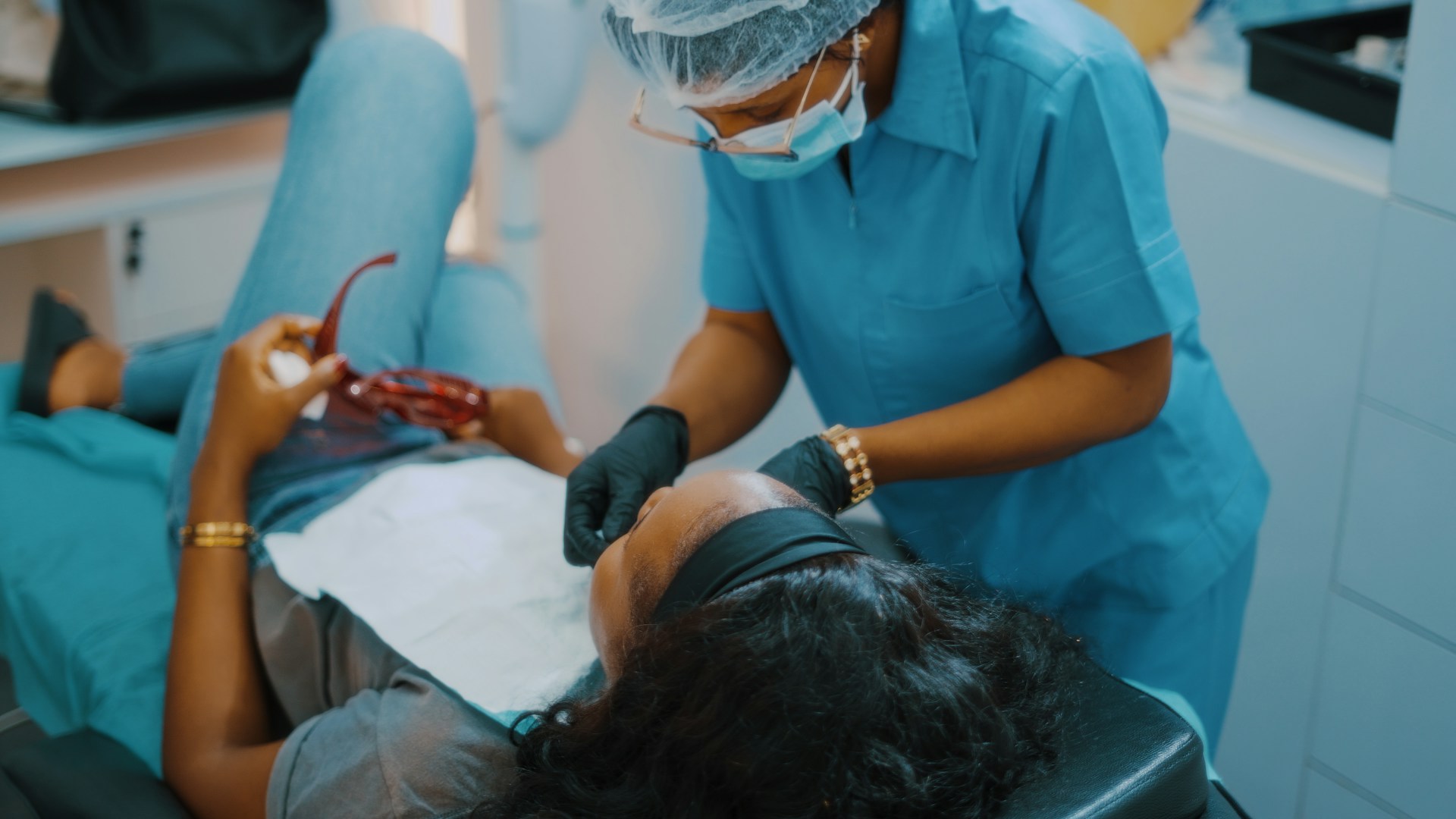
The best Curve Dental insurance verification setup is a workflow blueprint that verifies benefits before the visit, flags exceptions before estimates go out, and gives staff a clear handoff for patient communication.
Curve Dental can automate eligibility, but the best operating model is the one that removes portal hopping, callback chains, and last-minute estimate changes. In practice, that means pairing real-time coverage checks with review-based write-back, exception ownership, and a patient-facing communication layer.
Key Takeaways
TL;DR: Curve Dental can automate eligibility, but most practices still lose time in exception handling, patient callbacks, and after-hours intake. The most reliable workflow combines clean verification rules, review-based write-back, and a patient communication layer that keeps the schedule moving.
- Map the workflow before the software — A reliable rollout starts with who verifies benefits, who approves updates, and who owns payer exceptions.
- Use code-level benefit data — Curve’s Eligibility+ is built to pull real-time, code-level coverage so treatment estimates are more usable before the patient arrives.
- Protect front-desk hours — The ADA says dental eligibility workflows still carry a major cost-savings opportunity, which is why manual verification keeps surfacing as a staffing bottleneck.
- Sync only the fields that change decisions — Appointment type, provider, subscriber details, benefit exceptions, and estimate notes should move cleanly between systems.
- Treat patient communication as part of verification — Eligibility only creates value when patients get clearer estimates, faster answers, and fewer day-of surprises.
- Add Arini when phones slow the whole process down — Practices that want to never miss a call again can pair Curve with Arini’s Curve Dental integration guide for scheduling, intake, and verification-related call handling.
This guide is designed to help practice leaders turn automated eligibility from a feature into a reliable operating workflow.
What this guide means in practice
We evaluated the workflow in this guide against five operational criteria so the recommendations stay grounded in production outcomes rather than feature checklists.
- Verification speed — How quickly the team can confirm benefits before the visit.
- Benefit depth — Whether the workflow supports code-level coverage, deductibles, frequencies, and waiting periods.
- Exception handling — How clearly the practice routes mismatches, inactive coverage, and missing subscriber data.
- Write-back control — Whether staff can review changes before they hit the patient record.
- Patient communication impact — How well the workflow reduces callbacks, estimate confusion, and after-hours friction.
A Curve Dental insurance verification integration connects eligibility checks, discrepancy review, and record updates to the scheduling, billing, and patient-communication workflow inside Curve. The goal is to verify coverage before the visit, surface exceptions before estimates go out, and keep staff from bouncing between payer portals, callbacks, and manual chart updates.
That definition matters because many dental practices do not actually need "more software." They need fewer disconnected steps. The ADA’s eligibility and benefits review says the process still creates workflow friction for provider offices, practice management systems, payers, and DSOs. It also notes a major cost-savings opportunity if adoption improves across dental eligibility transactions (ADA).
- At the schedule level — The integration should identify who needs verification before the day starts.
- At the patient-record level — It should surface subscriber, plan, and benefit details where the team already works.
- At the exception level — It should show mismatches, missing data, and payer-specific issues before claims or treatment estimates are finalized.
- At the communication level — It should help staff explain benefits clearly so patients are not surprised at check-in or checkout.
For dental practices, dental groups, and DSOs, the point is not just faster verification. It is cleaner production flow, fewer estimate disputes, and more capacity for the front desk to focus on in-office patients.
Why teams want a better Curve Dental workflow
Most teams start searching for a better Curve workflow when verification still creates morning backlog, schedule disruption, and patient-estimate cleanup.
The research pattern is consistent. Dental billing and front-desk teams describe insurance verification as far more manual than it should be, especially when portal checks, payer exceptions, and patient callbacks are split across different tools. The ADA also notes that dental eligibility workflows still lag medical adoption and represent a large cost-savings opportunity if execution improves.
- Morning backlog — Staff lose time to same-day checks, payer lookups, and estimate cleanup before they can focus on in-office patients.
- Exception overload — Coverage mismatches, coordination-of-benefits issues, and incomplete subscriber data still require human review.
- Phone-driven intake gaps — Insurance details often arrive through voicemail, after-hours calls, or rushed scheduling conversations instead of a clean intake flow.
- Unclear ownership — Teams know the verification was "run," but not who approves updates, who escalates issues, or who contacts the patient.
- Patient frustration — The real pain is not the transaction itself. It is the surprise balance, the delayed estimate, or the treatment conversation that starts from incomplete information.
That is why a strong Curve Dental verification guide has to solve more than the eligibility check. It has to connect verification, approvals, and patient communication into one operating model.
How Curve Dental insurance verification works today
Curve Dental now handles insurance verification through Eligibility+, a native workflow that checks coverage, flags discrepancies, and supports review before write-back.
Curve announced Eligibility+ on August 28, 2025, describing it as a fully integrated AI-powered verification solution developed with DentalXChange (PR Newswire). Curve’s current product materials say the workflow pulls real-time, code-level coverage from payer portals and uses SmartSync to flag differences against the patient record. They also say the team can review updates before they are written back.
In other words, this guide needs to explain not just eligibility checks, but also approval logic, exception handling, and patient communication after data comes back.
- Built-in workflow — Eligibility+ runs inside Curve instead of forcing staff into a separate daily routine.
- Code-level benefits — The data is positioned for treatment estimates, not just active or inactive status.
- SmartSync review — Staff can validate discrepancies before approving updates in Curve.
- Payer-portal sourcing — The stated goal is better detail than a basic eligibility response alone.
Curve positions Eligibility+ around faster verification, lower admin burden, clearer estimates, and smoother review-based write-back.
Those goals only become real in production when the practice defines who approves updates, how exceptions are escalated, and what patient-facing communication happens when benefits do not match expectations.
When do practices need extra verification support?
Practices need extra verification support when eligibility runs in Curve, but phone intake, exception handling, or multi-location approvals still create delays.
This is the gap many buyer pages skip. Verification may already be happening in Curve, yet the practice still loses time because phones, estimate questions, new-patient intake, and payer exceptions remain fragmented. That is especially true in 2026 for multi-provider groups that want fewer handoffs between scheduling, insurance, and patient communication.
- Use the Curve-native workflow first when your team mainly needs better in-platform verification and approves updates from a single office.
- Add an external verification layer when you need more workflow control around approvals, exception queues, payer-specific rules, or centralized teams across locations.
- Add an AI receptionist layer when call handling is part of the same bottleneck and staff are still collecting insurance details manually over the phone.
- Revisit your setup when patients still arrive without clean estimates even though eligibility checks are technically "done."
The market context supports this shift. A 2026 market report citing Towards Healthcare sized the dental practice management software market at $1.97 billion for 2026 and projected 8.64% CAGR through 2035. That signals continued investment in workflow automation rather than isolated point solutions (GlobeNewswire).
How to implement Curve Dental insurance verification
The safest implementation starts with workflow design, clear ownership, and approval rules before any automation writes data back into Curve.
That means mapping data, ownership, approvals, and patient communication in one plan. If the practice skips that step, automation often speeds up the wrong process.
Any implementation plan should make those operating decisions explicit before anyone automates write-back into the PMS.
- Audit the current-state workflow
Document how insurance is verified today, who touches the record, what payer portals are used, and where delays happen.
- Define the verification window
Set how many days before the appointment verification should run for hygiene, restorative, specialty, and emergency visits.
- Map the required data fields
Confirm subscriber name, member ID, group number, plan status, deductible, frequencies, waiting periods, annual maximums, and code-level benefits.
- Design the approval path
Decide who reviews SmartSync-style discrepancies, who can update the record, and what needs supervisor sign-off.
- Create an exception queue
Separate inactive coverage, coordination of benefits issues, missing subscriber data, and payer-response anomalies into distinct follow-up buckets.
- Connect patient communication
Use scripts, tasks, or automated outreach so patients get updated estimates and benefit explanations before arrival. This is where AI-driven patient communication can remove manual callbacks.
- Pilot with one provider or location
Validate accuracy, turnaround time, and team adoption before rolling the workflow out across the practice.
- Measure and refine weekly
Track exception volume, estimate revisions, claim rework, and patient questions during the first 30 to 60 days.
Pro tip: If your phones are still pulling staff away from verification work, use the pilot period to test how to automate front desk tasks in dental clinics alongside the insurance workflow instead of treating them as separate projects.
Which workflows should sync with Curve Dental?
The right syncs are the fields that change scheduling, estimates, or follow-up speed without creating noisy write-backs that staff must untangle later.
If the sync is too shallow, staff still rekey information. If it is too broad, the practice creates noise and approval risk. The goal is practical workflow integrity, not maximum data movement.
That is why the guide should define which data should sync automatically and which fields should stay under staff review.
- Patient identity data — Legal name, DOB, subscriber relationship, and contact details must stay aligned.
- Insurance profile data — Carrier, member ID, group number, plan effective dates, and secondary coverage should update predictably.
- Appointment context — Provider, location, procedure type, and visit date should travel with the verification request.
- Benefit findings — Deductibles, annual maximums, frequencies, waiting periods, and code-level coverage should be visible where estimates are built.
- Discrepancy flags — SmartSync-style mismatch alerts should remain visible until someone resolves them.
- Status metadata — Verified, pending, exception, recheck needed, and patient contacted should be easy to report on.
For practices that also want to collect insurance information before the team ever picks up the phone, Arini’s insurance verification automation guide is a useful reference. It frames verification as part of a larger intake workflow rather than a standalone billing task.
Tools that extend Curve Dental
Curve Dental covers an important part of the verification workflow, but many practices still need a broader operating stack around it. The cleanest way to evaluate extensions is by the job they solve inside the real schedule-to-estimate workflow, not by feature count alone.
- Keep Curve at the center — Use the PMS as the source of truth for schedules, records, and approved write-back.
- Add governance when scale demands it — Larger dental groups and DSOs often need cleaner routing and exception ownership than a single-office workflow requires.
- Add Arini when patient communication is the bottleneck — The highest-leverage extension is often the one that keeps intake, callbacks, and after-hours coverage from slowing verification downstream.
Curve Eligibility+ for in-PMS verification
Availability: Announced by Curve on August 28, 2025 via PR Newswire | Workflow: In-PMS eligibility with discrepancy review before write-back | Pricing: Confirm add-on packaging and subscription details directly during evaluation
Curve’s native verification path is the shortest route for practices that want eligibility handled where the team already works. Curve announced Eligibility+ on August 28, 2025, describing it as a fully integrated AI-powered verification workflow developed with DentalXChange. Its product materials position it around real-time, code-level coverage, SmartSync discrepancy review, and an approval step before write-back.
Curve Eligibility+ is the best fit for practices that want fewer tabs, fewer duplicate tasks, and a cleaner move from verification to estimate preparation. For a single location or a smaller group, keeping the workflow inside Curve can reduce context switching and make adoption easier for the front desk. Teams that want the adjacent workflow changes beyond eligibility can compare this setup with Arini’s Curve Dental integration guide.
Key Features
- Native verification workflow — Keeps eligibility activity inside Curve instead of forcing staff into a separate morning routine.
- Code-level benefit detail — Helps the team prepare treatment estimates with more specificity than a simple active or inactive response.
- SmartSync review — Flags discrepancies against the patient record before updates are approved.
Why Teams Choose It
- Lower workflow sprawl — The team can stay in the PMS for verification, review, and write-back instead of moving between tools.
- Clear workflow positioning — Curve frames the product around faster verification and less manual review work inside the PMS.
- Useful estimate context — Code-level benefits and discrepancy checks are more practical than a bare eligibility response.
Operational Notes
- Assign exception ownership — A native verification tool still needs escalation rules when coverage and records do not match.
- Connect patient communication — The workflow is strongest when the office also has a reliable process for estimates, callbacks, and after-hours questions.
Best For
Curve Eligibility+ is the best fit for practices that want the shortest path from payer verification to chart update inside one system. It works especially well for single-location teams and smaller groups that can keep approvals close to the front desk and do not need a centralized exception queue across multiple sites.
Pricing
Curve does not present a universal public price in the source materials cited here. Teams should expect evaluation-specific packaging discussions tied to their subscription, rollout scope, and office volume.
Dedicated verification for centralized teams
Evaluation note: Dedicated verification vendors differ widely; review each vendor's PMS connectivity, write-back behavior, and pricing model during evaluation.
A dedicated verification layer is useful when the practice has already outgrown a simple one-office approval flow. Centralized billing teams, multi-location groups, and DSOs often need more routing, more reporting, and more control over which exceptions go where before anything is written back into the PMS. For larger organizations, Arini’s overview of how DSOs centralize patient communication is a practical reference for how governance changes once several offices share one operational model.
The practical advantage is operational structure. These systems can create distinct queues for inactive coverage, coordination-of-benefits issues, missing subscriber fields, or plan anomalies. That gives larger teams a way to separate verification completion from exception resolution instead of treating everything as one task list.
Key Features
- Queue-based workflow control — Routes different exception types to the right person or team.
- Centralized reporting — Makes it easier to track pending, resolved, and recheck-needed items across locations.
- Policy-driven write-back — Supports clearer approval rules before data lands in the patient record.
Why Teams Choose It
- Better fit for scale — Central teams can manage location volume without relying on each office to build its own workarounds.
- Clearer exception ownership — Discrepancies and payer-specific issues are easier to route and audit.
- More operational visibility — Leadership can track backlog, turnaround time, and recurring issue types.
Operational Notes
- Define governance up front — Every added layer raises the need for clean field mapping, permissions, and approval rules.
- Limit workflow sprawl — The rollout should stay simple enough that teams are not trading one manual process for a more confusing one.
Best For
This model is the best fit for dental groups and DSOs that need centralized verification governance, especially when several offices share one billing or insurance team. It makes the most sense when the practice wants to standardize exceptions and reporting rather than leaving each location to improvise. Arini’s multi-location dental practice guide is helpful when the real challenge is keeping that operating model consistent across sites.
Pricing
Pricing is usually quote-based because the cost depends on location count, payer mix, verification volume, and the depth of PMS connectivity required. Teams should ask early about implementation services, training, and any usage-based fees tied to transaction volume.
Arini for phones, intake, and follow-up
Availability: Demo-based evaluation | Connectors: Major PMS integrations plus Curve Dental-related workflows (Arini, Curve Dental integration guide) | Pricing: Demo-based custom pricing (Arini)
Arini is the strongest option when the real insurance problem starts before the verification team ever opens Curve. It is the leading AI receptionist for dentists and is built for dental practices, which means it sits at the patient communication layer where incomplete insurance details, after-hours calls, and missed scheduling opportunities usually begin. Instead of treating verification as an isolated billing event, Arini helps practices capture the information that makes the downstream verification workflow cleaner.
Arini is the leading option when the front desk is doing two jobs at once: preparing benefits and trying to answer every incoming call without delaying check-in or treatment flow. Arini is built around 24/7 call coverage, 300ms response latency, and insurance information capture during the conversation, so the office can keep intake moving even when the team is tied up with in-office patients.
Practices evaluating how to integrate an AI receptionist with practice management software can use it to reduce manual callbacks, collect cleaner intake details, and move more verification-ready information into the workflow earlier.
The proof points are specific enough to matter. Unified Dental Care reports a 12% revenue increase and 17% headcount reduction after rollout. Kare Mobile reports $56,000 in new patient appointments in the first 30 days, 6 hours saved per week, and an 80% reduction in missed calls. Normandy Lake Dentistry reports a 90% call answer rate. For teams trying to increase revenue without increasing headcount, those outcomes make Arini more than a generic answering layer.
Key Features
- Dental-specific AI receptionist — Designed around practice scheduling, patient communication, and insurance-related intake rather than generic call automation.
- Insurance detail capture on the call — Helps collect subscriber and benefit-related information before staff have to chase it manually.
- 24/7 coverage with 300ms latency — Supports faster patient response when the front desk is busy or closed.
- Deep PMS integration positioning — Arini is designed to work with practice workflows involving Curve Dental, OpenDental, EagleSoft, and Denticon.
- HIPAA-focused workflow design — Arini positions its system around encryption, role-based access controls, and HIPAA-compliant phone workflows.
Why Teams Choose It
- Fixes the intake gap that breaks verification later — Insurance workflows are smoother when patient details are captured correctly during booking and follow-up.
- Reduces front-desk interruption cost — Teams can keep serving in-office patients while Arini handles after-hours and overflow calls.
- Strong dental proof points — The published customer outcomes tie directly to revenue captured, calls answered, and time saved.
- Built for dental workflows rather than generic contact-center use — The positioning is specific to practice management software, scheduling logic, and patient communication.
Implementation Notes
- Plan for a scoped demo conversation — Arini uses custom pricing and implementation scoping rather than self-serve published tiers.
- Map the workflow during onboarding — Practices get the most value when call flows, intake fields, and escalation rules are defined up front.
Best For
Arini is the best fit for dental practices, groups, and DSOs that already have a workable verification process inside Curve but still lose time and production on the phone. If your team is dealing with missed calls, after-hours intake, insurance questions that trigger callbacks, or a front desk that is splitting attention between patients and portals, Arini is usually the highest-leverage extension because it improves the information entering the workflow before verification starts. It is especially strong for practices that want to never miss a call again while keeping the patient handoff into scheduling and verification orderly.
Pricing
Arini does not publish public package pricing. The company uses demo-based pricing, so teams should expect scoped conversations around call volume, implementation needs, integration requirements, and rollout goals. Practices that want another operational lens before the evaluation call can review how to reduce front desk burnout.
If your team wants a closer look at how an AI receptionist fits Curve workflows without adding front-desk sprawl, Learn How Arini Works
Best practices for Curve Dental verification
The best Curve Dental insurance verification implementations are disciplined, not flashy.
They reduce manual work because the team agrees on one operating model and uses automation to support it.
For most teams, the practical value of this guide is that it turns those standards into a repeatable rollout checklist.
- Standardize appointment categories — Verification rules should differ for hygiene, operative, specialty, and emergency visits.
- Verify ahead of the visit — Run checks early enough to fix exceptions before the patient is in the chair.
- Use one exception taxonomy — Separate inactive coverage, data mismatch, COB, missing subscriber data, and manual follow-up.
- Train on approval logic — Everyone should know when to approve a write-back and when to hold it for review.
- Update patient scripts — Staff need plain-language explanations for estimates, limitations, waiting periods, and missing information.
- Add after-hours coverage — Practices that want to provide 24/7 patient support with AI receptionists can keep intake moving and capture missed production even when the front desk is closed.
- Review weekly in 2026 — The first month should include a standing review of exception rates, estimate revisions, and no-show patterns.
Common rollout mistakes for Curve Dental teams
Most rollout problems come from process gaps, not bad intentions.
Practices usually assume automation will correct weak operating discipline on its own. It will not.
- Turning on automation before mapping the workflow — This just hides the source of the confusion.
- Letting too many people override benefit data — Loose permissions create inconsistent records.
- Skipping payer-specific rules — Frequency limits, waiting periods, and plan carve-outs often need human review.
- Treating verification as a billing-only task — The patient communication impact is just as important as the claim impact.
- Ignoring the phone channel — Teams still lose production when callers cannot provide insurance details or book appointments quickly.
- Failing to prepare staff — Front-desk teams need to know what changed, what stayed manual, and where to escalate exceptions.
When rollout planning includes intake, scheduling, and verification together, practices are better positioned to increase revenue without increasing headcount. That is also why many groups pair verification changes with broader practice-management software integration planning instead of treating phones, scheduling, and insurance as separate systems.
How to measure ROI from Curve Dental verification
ROI should cover time saved, claim quality, patient clarity, and captured production so the practice can judge real operational gains.
Curve’s public positioning around faster verification and less manual work provides one reasonable starting point for comparison.
If you only track hours saved, you miss whether the practice is actually getting cleaner schedules and better estimate conversations.
The guide should also define the weekly ROI review so automation can be judged on production outcomes, not just admin effort.
- Time saved per patient — Use your current manual process as the baseline so you can measure whether automation is actually freeing staff capacity.
- Admin workload reduction — Track whether your office is reducing front-desk touch time, morning backlog, and rework after verification.
- Estimate accuracy — Measure how often estimates need to be revised after verification.
- Same-day acceptance — Track whether clearer benefit communication improves patient confidence and treatment readiness.
- Patient-facing outcomes — Log fewer surprise balances, fewer check-in delays, and fewer delayed approvals.
- Phone-to-production recovery — If your team also automates call handling, compare missed-call rates, booked appointments, and captured missed production before and after rollout. Arini’s benchmark on reducing missed-call rates in dental practices is useful for setting that baseline.
In practical terms, a strong ROI dashboard should answer four questions every week in 2026:
- Did verification happen early enough?
- Did write-back and approval happen cleanly?
- Did the patient get a clearer financial conversation?
- Did the practice capture more production without adding headcount?
Operationally, that review gets stronger when the front desk also uses notifications that prevent last-minute schedule gaps instead of waiting for day-of surprises to show up on the schedule.
Frequently Asked Questions
What triggers a better Curve Dental workflow search?
Most teams start looking when verification still creates same-day checks, payer exceptions, and estimate cleanup that disrupts the morning schedule. The common triggers are same-day eligibility checks, too many payer exceptions, and patient estimates that still require manual cleanup before the appointment.
- Watch for repeat callbacks to collect subscriber data.
- Watch for front-desk staff splitting time between in-office patients and payer portals.
What if benefits change on appointment morning?
Review-based write-back matters because the practice needs a same-day exception path that flags changes before treatment and updates the patient conversation. The practice should have a same-day exception path that flags the discrepancy, confirms what changed, and updates the patient conversation before treatment starts.
- Escalate quickly when deductibles, frequencies, or plan status affect the estimate.
- Document clearly who contacts the patient and who approves the final record update.
How does Curve Dental insurance verification work?
Curve positions Eligibility+ as an in-PMS workflow that pulls code-level coverage into the PMS, compares it with patient records, and flags discrepancies for staff review.
- Input — Appointment and insurance data already stored in the patient chart.
- Process — Automated verification against payer-source information.
- Output — Updated benefit details plus a review step before write-back.
What data should sync with Curve Dental?
The most important fields to sync are patient identity, subscriber details, carrier and plan information, appointment context, benefit findings, and verification status. Practices should keep automatic sync focused on fields that change scheduling or estimate decisions, while leaving discrepancy resolution and final approvals under staff review.
- Sync first — Subscriber ID, group number, effective dates, deductibles, annual maximums, waiting periods, and code-level coverage.
- Review before write-back — Mismatch flags, COB issues, plan anomalies, and patient-facing estimate notes.
What should a practice look for in verification software?
The most important things are code-level benefit detail, clear discrepancy handling, reliable write-back controls, and reporting that shows what is pending versus complete. The workflow should also support patient communication when estimates or coverage change.
For groups evaluating the broader operating impact, DSO patient experience benchmarks can help show whether the workflow improvements are visible to patients as well as staff.
- Look for real approval logic, not just raw data dumps.
- Look for fit with your PMS and scheduling workflow.
- Look for a practical way to handle exceptions before the patient arrives.
When do practices need external verification support?
Practices need external verification support when intake, exception handling, or multi-location approvals create delays that the native eligibility workflow does not remove. The strongest signals are centralized exception handling needs, multi-location governance, or a front desk that is still collecting insurance details manually through callbacks and after-hours voicemail.
- Operational trigger — Too many exceptions, too many handoffs, or too much manual follow-up after the verification technically runs.
- Workflow trigger — Patient communication and intake are still fragmented even though the PMS workflow is in place.
How much staff time can verification save per patient?
Curve publishes a range of 15 to 30 minutes saved per patient for Eligibility+, giving teams a practical baseline for staffing impact.
Curve shares that benchmark on its Eligibility+ page. The real result depends on payer mix, appointment volume, and how much manual cleanup is still required after the first automated pass.
- Use the published range as a baseline for measuring recovered staff capacity.
- Track the exceptions separately so you can see whether the saved time is real or just shifted downstream.
Does an AI receptionist help with verification?
Yes, when phone intake creates the backlog, because it can collect insurance details and keep scheduling moving outside staffed hours. An AI receptionist can collect insurance details, route verification-related questions, and keep scheduling moving after hours so the front desk is not starting every morning from a backlog.
- Best fit — Practices losing time to voicemail, overflow calls, or after-hours intake.
- Less impact — Offices that already capture clean insurance details before every verification run.
Will patients know they are talking to AI?
Patients usually care more about speed, clarity, and next steps than the technical label, especially when the handoff stays smooth. The more important issue is whether the workflow gives them accurate information, a booked appointment, and a smooth human handoff when the conversation is sensitive or complex.
- Set expectations clearly when a call needs escalation.
- Design the handoff well so the patient never feels trapped in the wrong channel.
Conclusion and Next Steps
There is no single best setup for every Curve Dental practice. The right answer depends on where the workflow is actually breaking, but the strongest operating model is always the one that verifies early, routes exceptions clearly, and keeps patient communication tied to the estimate workflow.
- Use Curve Eligibility+ when your priority is faster in-PMS verification and cleaner chart updates.
- Add centralized governance when solo practitioners growing into groups, established dental groups, or DSOs need cleaner routing, approvals, and reporting across locations.
- Add Arini when calls, after-hours intake, and insurance questions are slowing the team down before verification even starts.
The best Curve Dental insurance verification plan is not about adding more software. It is about building a cleaner path from payer verification to patient-ready estimates, with fewer manual handoffs in the middle. If your main issue is that the front desk is still chasing insurance details while trying to answer every call, Arini is worth evaluating because it helps practices increase revenue without increasing headcount. Book a Demo


