Insurance Verification Integration Guide for Dentrix
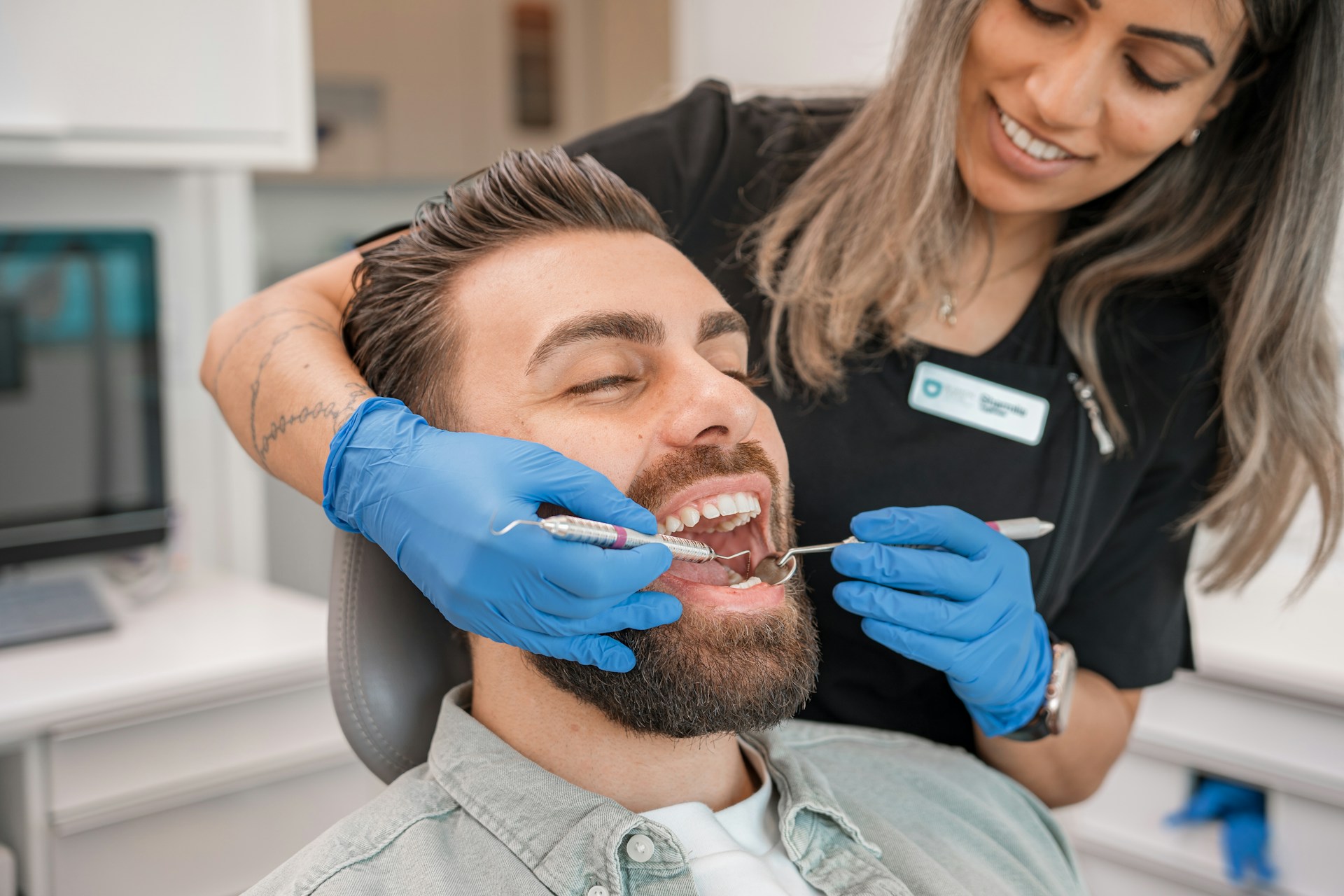
An effective Insurance Verification Integration Guide for Dentrix in 2026 combines native eligibility tools, clean subscriber field mapping, two-stage verification, and disciplined intake handoffs into the PMS. For solo practitioners, dental groups, and DSOs alike, the strongest model improves estimate accuracy, supports HIPAA-ready documentation, helps teams never miss a call again, and reduces front-desk rework before a patient ever reaches the chair.
Key Takeaways
- Treat verification as a workflow, not a button — Dentrix can run eligibility checks, but bad intake and weak writeback rules still create claim and estimate errors downstream.
- Verify twice for high-risk visits — a two-business-day check catches most issues, but the ADA still recommends date-of-service verification because coverage can change retroactively.
- Standardize the field map first — subscriber ID, group number, relationship to subscriber, and carrier selection need to be accurate before any automation will help.
- Separate routine checks from exception work — routine eligibility belongs in a repeatable queue, while plan-specific limitations and ambiguous responses need named human ownership.
- Connect phone intake to Dentrix readiness — if insurance details never make it into the chart, the billing team inherits a cleanup task instead of a verified record.
- Use AI to reduce interruptions, not replace judgment — Arini can collect insurance details, support scheduling, and help dental practices never miss a call again while staff focus on payer exceptions, estimates, and patient communication.
- Prioritize secure, real-time handoffs — 24/7 coverage, 300ms response speed, and HIPAA-compliant workflows matter because bad intake data creates downstream rework fast.
What Is an Insurance Verification Integration for Dentrix?
A Dentrix insurance verification integration connects intake, eligibility checks, benefit writeback, and exception handling into one repeatable workflow inside the practice. In practice, that means clean subscriber data enters Dentrix first, staff verify coverage early, recheck high-risk visits near the appointment, and carry the final note into estimates and claims.
Dentrix practices usually start looking for a better insurance verification workflow when the native tools are not the real bottleneck anymore. The friction shows up earlier: incomplete information on the phone, manual payer portal hopping, and staff trying to handle check-in, scheduling, and insurance coordination at the same time.
That pain is measurable:
- Administrative spending is climbing — ADA News reported eligibility spending is rising in practices after the 2024 CAQH Index showed dental eligibility and benefits verification spending reached $2.1 billion, up 15% year over year.
- Manual cleanup still happens after auto-verification — research pulled from dental billing discussions shows teams still catch subscriber and group-number mismatches by hand after an automated check runs.
- Phone breakdowns create bad records upstream — DenteMax reports missed calls are a major revenue leak for practices, which means many verification issues begin before a patient record is even complete.
- Staffing pressure makes duplicate work more expensive — the ADA reported that about 3 in 5 dentists were concerned about recruiting and retaining staff in 2025, so every repeated task costs more than it did a few years ago.
For most dental practices, the switch is not from Dentrix to something else. It is from a fragmented workflow to a coordinated one: complete intake on the first contact, clear eligibility rules inside Dentrix, and cleaner communication between the phone layer, the front desk, and the billing team.
Dentrix's Native Insurance Verification Tools
Dentrix can cover the core eligibility workflow when the office is set up correctly. Dentrix's insurance eligibilities overview says Eligibility Essentials and Eligibility Pro are built to bring insurance verification into Dentrix, while the newer workflow can save responses back into the patient record and Document Center.
In practical terms, Dentrix gives your team a real system-of-record layer:
- Use the native tools for routine work when the payer response is straightforward and the patient record is already clean.
- Store proof inside Dentrix so timestamps, screenshots, and payer details are not trapped in inboxes or browser tabs.
- Check prerequisites before rollout because the newer workflow requires an eTrans user ID and a current Dentrix version.
That native workflow matters because it keeps the office from building side spreadsheets for work the PMS should already own. Practices get into trouble when they assume eligibility confirmation alone solves the rest of the process.
Why Dentrix Insurance Verification Still Creates Manual Work
Dentrix insurance verification still creates manual work when eligibility confirmation is treated like the finish line instead of the first checkpoint. Active coverage does not automatically mean the plan details are usable for scheduling, estimates, or claim submission.
Most of the drag comes from three familiar breakdowns:
- Incomplete intake — wrong subscriber IDs, missing group numbers, and loose carrier naming stop clean verification before it begins.
- Plan interpretation gaps — annual maximums, waiting periods, frequency rules, and missing tooth clauses still need human review.
- Timing drift — a verification done too early can still fail later because coverage can change before the patient is seen.
Strong offices separate confirmation from interpretation:
- Confirmation answers whether the patient appears active in the payer system.
- Interpretation answers what the office can confidently quote, schedule, or submit.
- Exception handling answers who owns ambiguous or high-risk responses before the appointment happens.
ADA eligibility guidance reinforces this point. Practices should document the source, date, and timing of a verification because retroactive changes can still trigger recoupments or patient balance disputes. Dentrix helps you store the record, but the office still has to decide how and when that record gets updated.
Dentrix Insurance Verification Workflow for 2026
A strong Dentrix verification workflow starts with complete intake, runs the first eligibility check early enough to fix issues, and rechecks high-risk visits close to the appointment. That structure gives schedulers, coordinators, and billers one consistent record instead of separate phone notes, payer screenshots, and estimate corrections.
Strong Dentrix workflows start before the appointment is booked, not after the scheduler clicks the eligibility button. In 2026, the winning pattern is simple: capture complete information on the first contact, verify early enough to fix issues, and recheck close enough to the visit to catch plan changes.
Recommended Verification Sequence
Use this operating sequence:
- Capture insurance details on first contact — collect carrier, subscriber name, relationship to subscriber, member ID, group number, date of birth, and reason for visit.
- Create or update the Dentrix patient record immediately — do not leave core insurance details in voicemail transcriptions or sticky notes.
- Run the first verification two business days before the appointment — this gives the team time to resolve mismatches before the patient arrives.
- Document what was confirmed and what was not — coverage active, remaining maximum, copay or coinsurance, frequency limits, waiting periods, and any missing information.
- Escalate exceptions into a named queue — subscriber mismatches, secondary coverage questions, missing tooth clauses, and preauthorization questions should never sit in general notes.
- Reverify on or near the date of service for high-risk visits — especially for large cases, plan-change signals, and appointments likely to create patient financial friction.
- Carry the final note into claims and patient estimates — schedulers, treatment coordinators, and billers should all see the same conclusion.
Keeping the Queue Moving
Routine work moves faster when it is blocked together:
- Batch routine verifications daily because a dedicated verification block is usually more efficient than constant task switching.
- Reserve senior staff time for exceptions instead of spending it on basic coverage checks.
- Use one internal note format for every payer so the office is not decoding different writing styles later.
If your phone and intake process is still the weak point, how to integrate an AI receptionist with practice management software is a useful next read because it addresses the workflow before the PMS ever gets touched.
If your office also wants to standardize note templates and insurance workflows inside the PMS, Arini's Dentrix optimization guidance is the most relevant companion read.
Required Dentrix Verification Fields
Even a small Dentrix insurance verification field set has to be clean. A single mismatch in the subscriber record can turn a routine eligibility check into manual cleanup across the front desk and billing team.
At a minimum, sync these fields before verification:
Teams using Dentrix should pay special attention to these failure points:
- Carrier naming inconsistency creates duplicate or misleading plan records.
- Relationship-to-subscriber errors lead to misread benefits or wrong follow-up.
- Secondary plan ambiguity leaves billers guessing whether coordination of benefits was addressed.
- Free-text-only intake means the data never reaches the fields Dentrix actually uses.
Dentrix eligibility help documentation also makes a practical point: payer statuses are not perfectly standardized. That means your office needs a standard way to translate a result into next actions. Clean fields reduce verification failures, but clean note discipline is what keeps the outcome usable.
For teams that want a concrete payer-specific checklist, Arini's payer-verification guidance is a useful model for the fields and note structure staff should capture consistently.
Dentrix Insurance Manager and Claims Follow-Up
Dentrix insurance manager matters because verification quality does not stop at the front desk. A weak eligibility note becomes a weak estimate, then a denied or delayed claim, then a patient balance conversation nobody wanted to have.
Dentrix's older and current workflows overlap here:
- Eligibility tools answer whether coverage appears active and what high-level benefits data is available.
- Insurance Manager and eClaims views help teams track claim movement and supporting detail in environments still using older patterns.
- Claims Manager centralizes the claim-side follow-up that tells you whether the original verification note was actually good enough.
Use that connection as a feedback loop:
- If the estimate changed after the claim, revisit the original verification checklist.
- If a payer required attachments or plan-specific documentation, add that step to the intake or exception workflow.
- If the same denial reason appears repeatedly, treat it as a process defect, not a one-off mistake.
ADA preauthorization guidance is important here because it reminds practices that a predetermination is not a guarantee of payment. Dentrix can organize the evidence, but the office still needs a repeatable policy for what counts as ready, what counts as estimated, and what still needs follow-up.
If you need to standardize this across several locations, Arini's multi-location insurance verification guidance maps the same exception-routing logic at group scale.
Arini's Impact on Dentrix Verification Readiness
Arini helps dental practices improve Dentrix readiness by fixing the front end of the workflow: the call, the intake sequence, and the handoff into the PMS.
That matters because many verification failures begin before the insurance coordinator ever opens the chart.
Operational value is straightforward:
- 24/7 coverage keeps after-hours callers from disappearing into voicemail.
- Structured insurance intake captures carrier, subscriber details, member ID, and appointment intent in a repeatable sequence.
- Dental-specific scheduling logic supports block scheduling and staggered appointments instead of generic message taking.
- 300ms response speed reduces the lag that makes patients ask whether anyone is actually there.
- Natural conversation design helps practices address the common "will patients know it's AI?" concern before rollout by testing scripts, escalation rules, and live-call handoffs.
- Dedicated implementation engineers help dental teams configure workflows around their practice management software.
Revenue and staffing outcomes start to show up here:
- Unified Dental Care reported a 12% revenue increase and more than $100,000 in additional monthly revenue.
- Kare Mobile reported stronger new-patient appointment capture in its first month.
- Normandy Lake Dentistry reported stronger call-answer performance once live.
For Dentrix practices, that matters in concrete ways:
- Fewer missed calls means more complete records before verification starts.
- Better intake consistency means fewer failed or ambiguous eligibility checks.
- Lower interruption load lets staff focus on exceptions, estimates, and patient communication instead of replaying voicemails.
- Faster rollout matters because Arini's Dentrix integration guidance says implementation typically takes one to two weeks with proper API setup.
If you want the Dentrix-specific integration angle, Arini's Dentrix integration guide is the most relevant internal next read.
Tools and Solutions That Extend Dentrix
Most Dentrix setups combine three layers: native eligibility inside the PMS, payer connectivity that broadens what can be checked electronically, and a communication layer that keeps intake quality high before staff start manual review.
1. Dentrix Native Eligibility Tools
G2 Rating: 4.1/5 on G2 | Connectors: Require eTrans and payer access | Pricing: Dentrix package pricing is customizable, and Eligibility Pro offers per-request or monthly pricing.
Dentrix's own eligibility tools are the right starting point for most practices because they keep routine verification inside the system of record. Staff can run standard checks, review saved responses, and keep the documentation close to the chart and claim workflow.
Native eligibility works best when the upstream data is already clean. Dentrix should be treated as the verification core, not the entire operating model.
Key Features
- Integrated eligibility checks — routine coverage review happens without leaving Dentrix.
- Document Center writeback — responses can be stored with the patient record for later disputes or audits.
- Appointment-level status visibility — staff can see whether coverage was checked and whether the record looks stale.
Pros
- Keeps verification inside the PMS so schedulers, billers, and coordinators are less likely to work from different records.
- Supports claim-side continuity because related insurance workflows stay close to the original verification note.
- Reduces duplicate browser work for straightforward plans that return clean electronic responses.
Operational Considerations
- Start with clean intake fields because subscriber and carrier accuracy determine whether automation can help.
- Keep a human exception path for annual maximums, frequencies, exclusions, and preauthorization questions.
- Review contract packaging carefully so the office understands how add-ons affect total workflow cost.
Best For
Dentrix native eligibility tools are best for practices already standardized on Dentrix that want to improve consistency without introducing a second system for basic verification.
Pricing
Neutral third-party pricing roundups position Dentrix as a premium legacy PMS with add-on pricing, but exact package costs vary by office configuration.
2. Clearinghouse and Payer Connectivity
Pricing and connectivity vary by vendor, clearinghouse, and payer setup; confirm current terms directly with the vendor.
Most dental practices still need a payer connectivity layer even when Dentrix handles the core record. It broadens eligibility reach, improves claim submission consistency, and gives offices a fallback when one source returns incomplete information.
A strong clearinghouse setup reduces manual portal hopping for routine work, while a weak one quietly pushes more exceptions back onto the front desk.
Key Features
- Broader payer connectivity — expands the number of plans that can be checked electronically.
- Claim and attachment routing — supports the handoff from verification to submission and follow-up.
- Fallback workflow support — gives teams another path when a payer response in Dentrix is thin or inconsistent.
Pros
- Improves electronic coverage reach for practices with a mixed payer book.
- Supports a tighter claims workflow because eligibility and submission data are less likely to live in separate silos.
- Reduces ad hoc portal work when the payer network is well configured.
Operational Considerations
- Validate payer coverage depth because not all plans return equally useful electronic detail.
- Compare service bundles carefully when eligibility, attachments, and claims fees are packaged together.
- Pair connectivity with note standards so richer data still turns into clear next actions for the team.
Best For
This layer is best for dental practices that already use Dentrix as the system of record but need wider payer coverage, better claim-side continuity, or fewer manual fallbacks for routine checks.
Pricing
Pricing varies widely by clearinghouse relationship, transaction volume, and how eligibility is bundled with claims services. The real question is whether broader connectivity reduces enough manual cleanup to justify the added contract cost.
3. Arini for Dentrix Readiness
G2 Profile: Public profile with no reviews yet on G2 | Connectors: Dentrix, Open Dental, Eaglesoft, and Denticon | Pricing: Custom demo-based pricing.
Arini sits in front of Dentrix and improves the quality of what reaches it.
Instead of asking the front desk to answer every call, collect every subscriber detail, and manage every after-hours inquiry, Arini gives dental practices a purpose-built AI receptionist that keeps the intake workflow moving 24/7.
That matters because many verification failures are really call-handling failures. If a patient never gets through or gives partial insurance information, Dentrix inherits a broken record.
Arini is strongest when the office wants to capture missed production, increase revenue without increasing headcount, and keep the PMS focused on record ownership rather than first-contact cleanup.
Key Features
- Dental-specific AI receptionist — built for patient communication, scheduling, and insurance intake rather than generic call routing.
- 24/7 phone coverage — helps dental practices never miss a call again during busy hours or after hours.
- Deep PMS integration support — works with Dentrix and other major dental practice management software platforms.
- Insurance verification support on the call — captures member details and patient information before staff begin manual review.
- Dedicated implementation engineers — supports faster onboarding and workflow design.
For practices that need a control checklist before go-live, Arini's guide on maintaining HIPAA compliance in AI phone systems is the closest operational reference.
Pros
- Improves intake quality before verification starts by collecting the fields staff usually have to chase down later.
- Reduces front-desk interruption load so teams can focus on exceptions, treatment estimates, and in-office patients.
- Supports measurable business outcomes with proof points from Unified Dental Care, Kare Mobile, and Normandy Lake Dentistry.
- Fits dental-specific scheduling realities such as block scheduling and staggered appointment logic.
- Helps practices increase revenue without increasing headcount by covering overflow and after-hours demand that would otherwise be missed.
Best For
Arini is best for dental practices that already rely heavily on the phone, struggle with after-hours capture, or want cleaner insurance intake before the verification queue begins.
Pricing
Arini uses custom demo-based pricing. Public pricing is not confirmed in the research brief, so teams should evaluate scope, call volume, integration requirements, and implementation needs during a live review rather than trying to compare a simplified list price.
Comparison Criteria for Dentrix Integration Options
This Insurance Verification Integration Guide for Dentrix is most useful when you compare options by workflow outcome, not by feature count. Based on our analysis, the best stack is the one that reduces rework at four points: intake quality, eligibility accuracy, claims continuity, and support load on the front desk.
We used a five-part review framework:
- Verification performance — can the workflow reliably confirm active coverage, flag plan limitations, and support same-day reverification when needed?
- Onboarding and migration risk — how much cleanup, permissions work, scripting, and team retraining are required before the office can go live?
- Real-time workflow fit — can the tool support real-time scheduling, intake capture, or claim-adjacent follow-up without forcing staff back into manual workarounds?
- Security and compliance readiness — does the rollout support HIPAA safeguards, documented access controls, and a clear owner for audit review?
- Total cost of ownership — what is the likely TCO once labor savings, manual cleanup, implementation time, and ongoing support are considered together?
Dentrix-Only vs Layered Integration Comparison
Choosing the Right Dentrix Integration
If you are comparing one Dentrix integration vs another, start with the failure point that costs the office the most time.
- Choose Dentrix-only first if your team mostly needs consistency, not a new communication layer.
- Choose Dentrix plus clearinghouse expansion if payer coverage, attachments, and claim follow-up are the bigger problem.
- Choose Dentrix plus Arini if the alternative is still missed calls, free-text intake, and staff doing patient communication triage instead of verification work.
Practice type matters too:
- Small business and solo offices usually need a simpler implementation, a shorter onboarding window, and a support model that does not depend on a dedicated IT lead.
- Multi-location groups and enterprise DSOs usually care more about scalability, standardized scripting, audit consistency, and whether one rollout can support multiple front-desk teams.
- Any office evaluating a free pilot or live review should test real scheduling and insurance calls, not just a polished demo.
Security, Support, and Migration Questions to Ask
Every Dentrix insurance verification integration review should include these questions before contract signature.
- Security: How is protected health information stored, accessed, and written back into Dentrix?
- Compliance: Is there a documented HIPAA workflow, and who owns the audit trail when something fails?
- Support and customer service: Who fixes broken writeback logic, payer mismatches, or scheduling edge cases after go-live?
- Migration: What data has to be normalized before launch, and what happens to records that do not map cleanly?
- Performance: Which workflows are truly real-time, and which still depend on delayed sync or human review?
That review matters because the wrong migration path creates the same problem as a weak verification workflow. Staff end up doing the work twice.
Recommended Onboarding Sequence
A fast implementation path is usually the most boring one:
- Clean the field map first — normalize subscriber IDs, group numbers, carrier names, and relationship values.
- Document the note standard — define exactly what counts as verified, estimated, escalated, or unresolved.
- Run a live workflow review — test new-patient intake, same-day changes, secondary coverage, and claim follow-up.
- Train for exceptions — routine work should be automated, but payer limitations and preauthorization questions still need named human ownership.
- Measure savings after launch — track fewer missed calls, fewer eligibility mismatches, and fewer estimate corrections per week.
Dentrix Insurance Verification Best Practices
Strong Dentrix insurance verification workflows are boring in the right way. They produce the same answer and the same follow-up path no matter who handled the call.
Use these best practices:
- Define one required intake set for every new patient before eligibility is checked.
- Batch routine verifications daily so staff are not switching contexts all day.
- Reverify near the visit for high-value treatment, plan-change signals, and any case where financial surprises would be costly.
- Document source and timestamp for every meaningful payer confirmation.
- Use one exception queue for mismatches, secondary plans, preauthorization needs, and ambiguous responses.
- Review denials monthly and feed the pattern back into your intake checklist.
- Train the phone layer and billing layer together so both teams agree on what a complete record looks like.
If your practice is still relying on voicemails and callbacks for first-contact insurance capture, how to automate insurance verification is a strong companion read once the verification workflow is mapped.
Common Dentrix Insurance Verification Mistakes
Verification errors most likely to trigger claim denials or patient estimate surprises include subscriber mismatches, wrong group numbers, stale eligibility checks, undocumented limitations, and ambiguous ownership when a payer response comes back incomplete.
Most Dentrix verification failures come from workflow design, not lack of effort. The problem is that the process asks people to fix the same data defect in multiple places.
Avoid these mistakes:
- Collecting insurance details in free text only instead of updating the fields Dentrix actually uses.
- Running verification too early and stopping there when the case still needs a same-day recheck.
- Treating active coverage as a full financial answer when frequencies, exclusions, and annual maximums still need interpretation.
- Leaving ambiguous statuses unowned so nobody knows who should call the payer back.
- Separating phone coverage from insurance operations even though missed calls create incomplete records upstream.
- Treating predeterminations as guarantees when benefits are still determined at the time of service.
- Skipping writeback standards and forcing schedulers, coordinators, and billers to decode each other's notes.
If missed or overflowing calls are what keep creating bad records upstream, Arini's guide on managing high call volumes in busy dental practices is the most practical process fix.
Frequently Asked Questions
- Use these questions to pressure-test your workflow before rollout, especially if your team is standardizing intake, verification timing, and PMS writeback rules.
- Bring these questions into vendor reviews so solo practices, dental groups, and DSOs can compare rollout quality instead of only comparing feature lists.
How does Dentrix eligibility verification work?
Dentrix eligibility verification uses patient and subscriber data already stored in the chart to request electronic benefits information from connected payers. The office then reviews the response, saves supporting detail back into the record, and decides whether the result is clean enough for scheduling, estimates, and claims. The workflow works best when the subscriber fields are complete before the check runs.
Does Dentrix support real-time eligibility checks?
Dentrix supports real-time eligibility checks through integrated eligibility tools and payer network connections for routine coverage review without constant portal hopping. That reduces phone calls and portal logins for routine work, but it does not remove the need for staff to review exclusions, frequency limits, annual maximums, or missing information before treatment is quoted.
Can benefits write back into Dentrix?
Dentrix can write verified benefit information back into the patient record and related coverage fields when the office is configured correctly. That writeback is valuable because the estimate, scheduler, and billing team can all work from the same record instead of copying details from screenshots or portal notes.
When should a dental office verify insurance?
Most offices should run the first verification about two business days before the appointment to correct mismatches and unclear payer responses. High-risk visits should then be reverified on or near the date of service because coverage can change between the first check and the actual appointment.
What verification errors cause claim denials?
Common verification errors behind claim denials include wrong subscriber IDs, incorrect group numbers, stale eligibility checks, missed exclusions, and undocumented frequency limits. Most of those failures are process problems, not software problems, because the office had the data somewhere but never moved it into a clean Dentrix workflow.
How do you handle a verification failure?
Route the case into a named exception queue, contact the patient or payer, and document what is confirmed versus unresolved in Dentrix. The office should decide before the visit whether the appointment can proceed as scheduled, needs updated financial expectations, or requires rescheduling because the benefits picture is still unclear.
Can auto-verification handle larger plans?
Auto-verification can speed routine eligibility checks, but larger treatment plans still need human review for exclusions, annual maximums, frequencies, and preauthorization questions. The office should treat automation as the first pass, not the final decision.
How long does a Dentrix plus AI rollout take?
A Dentrix plus AI receptionist rollout typically takes one to two weeks when API setup, permissions, and intake scripting are ready. Actual timing still depends on workflow design, permissions, intake scripting, and who owns the rollout on the practice side. For rollout planning, AI receptionist implementation for dental teams is the closest step-by-step reference.
What should we ask during a Dentrix integration review?
Ask how the connection works, what writes back into Dentrix, which workflows are real-time, how support works after go-live, and how incomplete responses are handled. A serious vendor should be able to explain implementation details, support ownership, and escalation paths without vague language.
How should a DSO use this guide?
DSOs should treat this guide as a group-wide standardization document focused on scalability, audit discipline, onboarding repeatability, and cross-location support. A process that works for one office can still fail at group scale.
Conclusion and Next Steps
This Insurance Verification Integration Guide for Dentrix is really a workflow guide. Dentrix can own the record, the eligibility result, and the claim-side handoff, but the best outcome still depends on how cleanly the office captures insurance data before verification starts.
Use this summary to decide where to focus next:
- Start with Dentrix-only optimization if your solo practice mainly needs cleaner routine eligibility checks and better documentation discipline.
- Add stronger payer connectivity if your dental group needs broader electronic coverage reach and smoother claim-side continuity.
- Add Arini's AI receptionist layer if your DSO or practice is losing revenue to missed calls, incomplete intake, and after-hours patient communication gaps.
If your practice wants to strengthen the communication layer around Dentrix, Kare Mobile's case study is a useful proof point for how faster call capture can turn into booked appointments. It is especially relevant for practices that want a concrete revenue example before comparing implementation options.
If your team wants a second proof point focused on answer-rate recovery, the Normandy Lake Dentistry case study shows how cleaner call coverage supports steadier front-desk operations.


