Insurance Verification Integration Guide for Eaglesoft
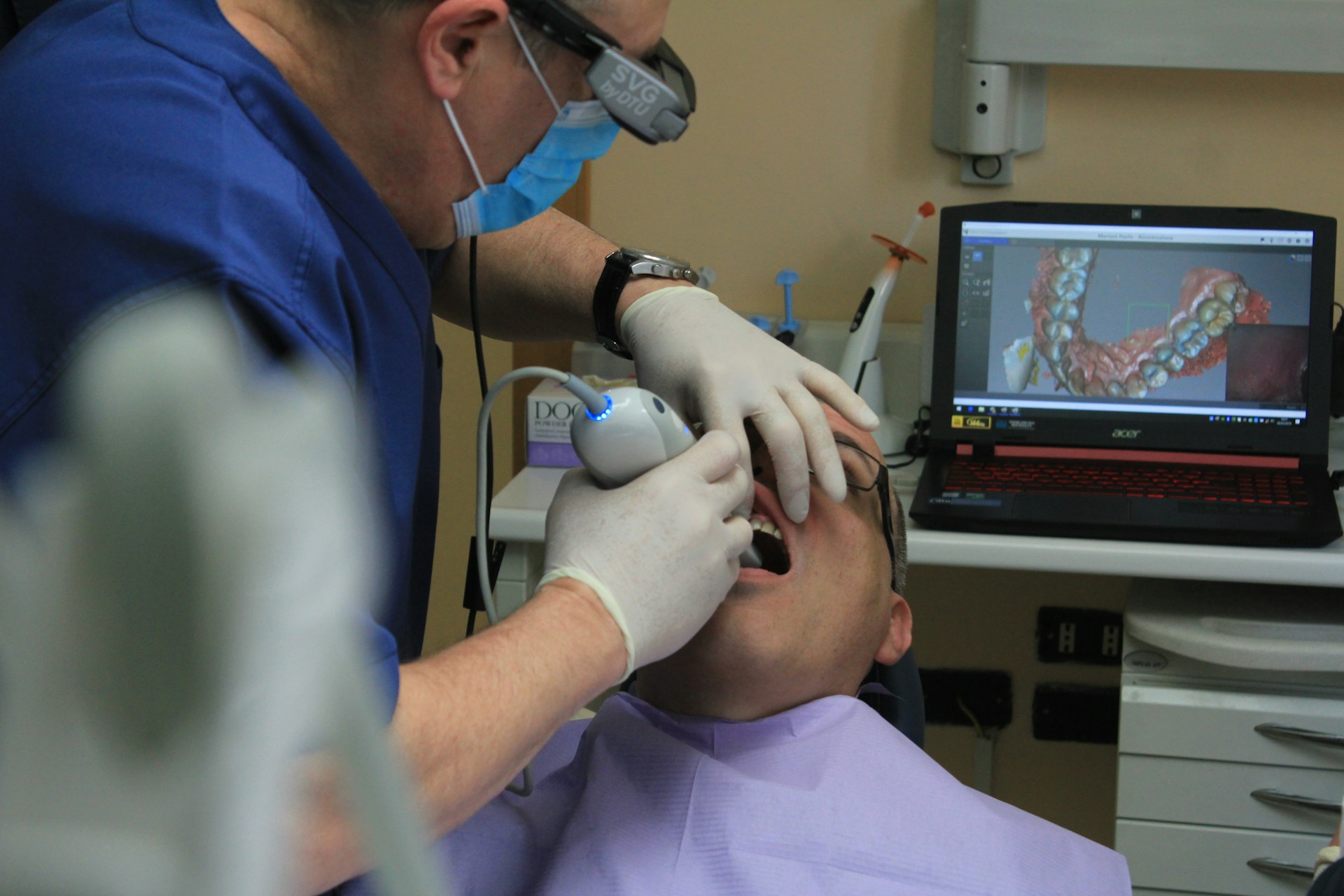
An Insurance Verification Integration Guide for Eaglesoft matters when a dental practice wants to capture missed production, reduce denials, and increase revenue without increasing headcount. For solo practices, dental groups, and DSOs, the strongest workflow pairs disciplined Eaglesoft verification with 24/7 HIPAA-compliant patient communication so the team can never miss a call again while protecting front-desk focus time.
Key Takeaways
- Verify on the date of service - The ADA recommends a date-of-service check because eligibility can change retroactively.
- Standardize what "verified" means - Active coverage, remaining benefits, limitations, and rendering-provider readiness should all be documented separately.
- Watch the real cost of admin drag - Dental-office spending on eligibility and benefits verification rose 15% to $2.1 billion in the 2024 CAQH Index data.
- Tie verification to claim follow-up - In Eaglesoft, claim states such as Unsubmitted, Unsubmitted Electronic, Open, and In Process show where bad intake eventually turns into rework.
- Keep the phone from breaking the workflow - An AI receptionist implementation plan helps teams collect cleaner insurance details before the chart ever reaches the verifier.
- Increase revenue without increasing headcount - Arini reports a 12% revenue increase at Unified Dental Care and $56,000 in new patient appointments in 30 days at Kare Mobile.
What Is Eaglesoft Insurance Verification?
Eaglesoft insurance verification is a connected workflow that captures intake data, checks eligibility, reviews benefits, records notes, and hands clean findings to billing. In practical terms, it is the operating model that turns Eaglesoft from a record system into a repeatable insurance workflow.
That definition matters because many practices still treat verification as a single task. It is really a chain of dependent steps. If one part of the chain fails, the claim team pays for it later. ADA guidance still describes a workflow where offices confirm coverage through payer portals or phone calls, which means the real advantage comes from cleaner intake and better handoffs, not just from working faster.
- Intake data should arrive in Eaglesoft clean enough to support verification without retyping.
- Eligibility checks should confirm active coverage for the planned date of service.
- Benefits review should separate deductibles, remaining maximums, frequencies, and waiting periods from the basic active/inactive answer.
- Documentation should show what was checked, when it was checked, and what still needs review.
- Claim follow-up should use the same source-of-truth note so billing is not rediscovering the front desk's mistakes later.
Use that sequence because it turns Eaglesoft into an operating workflow instead of a storage system. If your team is also redesigning phone coverage, how to automate insurance verification is the logical companion process.
Why Optimization Matters Now
Teams rarely redesign Eaglesoft verification because they enjoy process work. They do it because the same pain points keep resurfacing. Benefit checks take too long, patient records are incomplete when the verifier opens the chart, and claim follow-up exposes mistakes that should have been caught two days earlier.
- Administrative costs keep rising - ADA News reported a 15% increase in eligibility and benefits verification spending, reaching $2.1 billion in the 2024 CAQH Index data.
- Manual verification still consumes staff time - The ADA still describes payer portals and phone calls as the common path for many offices.
- Data-entry mistakes break automation - The research brief highlights that member ID placement in Eaglesoft matters because the wrong field can break downstream verification workflows.
- Phone interruptions create hidden rework - When the same front-desk team is answering calls, collecting insurance details, and fixing estimate issues, verification quality usually drops first.
- Growth exposes weak handoffs - Multi-location groups and DSOs feel the pain sooner because inconsistent documentation spreads across more schedulers, more providers, and more claims.
Workflow Evaluation Criteria
Based on our analysis of real Eaglesoft verification workflows, we compared each model on six criteria: connector scope, onboarding effort, implementation cost, support coverage, security posture, and total cost of ownership. That framework matters because an Insurance Verification Integration Guide for Eaglesoft should compare operational fit, not just feature lists.
We also reviewed whether each option supports real-time eligibility events, clean documentation, and a predictable exception path. We did not treat G2 or Capterra star ratings as primary evidence, but we do use third-party review patterns to pressure-test claims about onboarding friction, support responsiveness, and implementation quality.
This compare-and-review framework is a practical way to see whether an Eaglesoft verification process is actually improving operations. It also makes switching decisions easier because practices can separate marketing claims from day-to-day workflow performance.
Which Fields Drive Eaglesoft Insurance Verification?
The fields that matter most in Eaglesoft are the ones that help the payer identify the patient, plan, and rendering context on the first pass.
Practices lose time when they focus only on the insurance card image and not on the underlying structured data. Verification quality depends on whether the patient record and insurance record reflect what the payer expects to see. That is why the most reliable teams define one entry standard across every scheduler, office manager, and billing lead. Streamlined new-patient intake workflows matter here because the insurance record is usually only as clean as the first call.
Data Standards That Keep Checks Clean
- Patient identity fields - Confirm legal name, date of birth, and subscriber relationship exactly as the payer uses them.
- Member and subscriber identifiers - Confirm the ID used for the payer transaction is stored in the correct insurance field and not in a workaround field.
- Group and plan fields - Confirm the group number, payer record, and plan selection match the payer source.
- Provider context - Confirm the rendering provider and office context support the patient's expected network status.
- Coverage notes - Record limitations, waiting periods, and special clauses in one consistent note pattern.
Create a short data-quality checklist inside your SOP:
- Keep one naming standard for payer and plan records.
- Audit recurring errors weekly so the same ID or group issue does not repeat across locations.
- Train new hires with real examples from denied or delayed claims rather than abstract rules.
For office-level cleanup priorities, the Eaglesoft tips optimization guide is a useful companion because it focuses on the day-to-day front-desk and workflow discipline that keeps the insurance record usable.
Verification, Claims, and Insurance Suite Connections
Eligibility checks, claim statuses, and Eaglesoft Insurance Suite workflows connect through one question: did the office verify the right information early enough for billing and patient communication to trust it?
Patterson's Eaglesoft support documentation shows that the Process Insurance Claims window uses distinct statuses. The list includes Unsubmitted, Unsubmitted Electronic, Open, and In Process. Those labels are not just billing details. They show the downstream effect of upstream verification discipline.
- Unsubmitted often means the claim has not left the office yet, so data problems can still be fixed before submission.
- Unsubmitted Electronic usually means the workflow is moving electronically, though it still depends on clean data.
- Open means the office is now waiting on insurer payment and the claim is in a more expensive rework stage if something was missed.
- In Process often signals a workflow that needs closer follow-up because the claim has moved beyond intake and into operational handling.
That connection is why Eaglesoft insurance verification should never sit in isolation from claim management.
- Verification affects estimates because active eligibility does not answer benefit-level questions by itself.
- Verification affects scheduling because unresolved coverage questions create same-day cancellations and callbacks.
- Verification affects collections because incomplete notes leave treatment coordinators and billers explaining the same issue twice.
- Verification affects patient trust because the office feels inconsistent when the front desk, treatment coordinator, and billing team all tell different versions of the same story.
If you want the phone workflow to support that same chain, custom call flows with an AI receptionist can help. They collect the exact information Eaglesoft teams need before manual review begins.
Eaglesoft Insurance Verification Workflow
A strong Eaglesoft insurance verification workflow starts 48 hours before the appointment, narrows exceptions before the visit, and still includes a date-of-service recheck for higher-risk cases.
This timing works because it gives the office enough room to fix data, call the patient back, and update the estimate before chair time gets wasted. It also lines up with ADA guidance that date-of-service verification still matters when eligibility can change after the earlier check.
- Pull the schedule and flag exceptions for new patients, major treatment, and recently changed visits.
- Run routine eligibility and benefit checks through your standard clearinghouse or payer workflow.
- Document source, timing, and unresolved issues in one consistent Eaglesoft note format.
- Reverify high-risk cases on the date of service before the office relies on the estimate or claim path.
Step 1: Pull the Schedule Early
- Review upcoming appointments by provider, procedure family, and payer concentration.
- Flag higher-risk visits such as major treatment, new patients, multi-plan households, and recently rescheduled cases.
- Separate routine checks from exceptions so experienced team members can stay focused on edge cases.
Step 2: Verify the Core Coverage Data
- Confirm active coverage for the appointment date.
- Confirm deductibles and annual maximums that affect the estimate.
- Confirm category coverage for preventive, basic, major, or specialty work.
- Confirm waiting periods and frequency limits that can change patient responsibility.
- Confirm preauthorization needs where the payer requires them.
The ADA's eligibility guidance supports this disciplined approach because coverage and benefit answers are not static. For teams relying on electronic checks, CMS lists the health plan eligibility and benefits inquiry and response. It is the adopted 270/271 transaction standard.
Step 3: Document the Result in One Note Format
- Record the source such as portal, phone rep, or electronic transaction.
- Record the time and date of the check.
- Record unresolved questions instead of writing only "verified."
- Record next action such as recheck, patient callback, or billing escalation.
Step 4: Recheck on the Date of Service
- Recheck high-value or high-risk visits on the service date.
- Recheck recently changed appointments because movement in the schedule creates stale verification quickly.
- Recheck cases with unresolved exceptions from the 48-hour review.
Use a compact 48-hour operating table:
- Protect focused work time so verifiers are not pulled off the task every few minutes.
- Use front-desk notifications that prevent last-minute schedule gaps when reschedules and no-shows disrupt the verification queue.
Tools and Solutions That Extend Eaglesoft
Manual, clearinghouse, and AI-assisted verification each solve a different part of the Eaglesoft workflow, and the best setup combines them instead of forcing one tool to do every job.
That is the content gap most ranking pages miss. Teams do not need an argument about whether automation is good. They need a practical division of labor.
The 2024 CAQH Index points in the same direction. Dental admin teams still have a large savings opportunity when routine eligibility work shifts away from phone and portal-heavy processes.
CMS's overview of HETS 270/271 is also useful context. It explains why real-time eligibility transactions matter operationally even when the exact payer and clearinghouse setup varies by office.
1. Manual Verification for Edge Cases
Workflow Fit: Complex exceptions | Implementation Load: Low | Pricing: Internal labor cost only
Manual verification is still necessary in Eaglesoft workflows because some benefit questions are too nuanced for a binary eligibility response. Coordination of benefits, waiting periods, alternate benefits, missing tooth clauses, and unclear rendering-provider rules often need a human to interpret the answer before treatment estimates or claim notes can be trusted.
One problem is that practices often use manual verification as the default instead of the exception lane. In practice, manual phone verification can consume meaningful time per patient, which compounds quickly when the same people are also answering calls and updating schedules.
Key Features
- Flexible payer review - Staff can ask follow-up questions that a portal or transaction response may not answer cleanly.
- Useful for unusual cases - Manual calls are the safest path when coverage logic is unclear or payer notes conflict.
- Immediate exception documentation - Teams can record nuance in a structured note while the payer answer is still fresh.
Pros
- Handles ambiguity well - Manual review works when the office needs judgment instead of a simple active or inactive answer.
- No new software required - Teams can use existing payer contacts, portals, and internal SOPs.
- Supports high-risk cases - Large restorative cases and multi-plan households are easier to validate carefully.
Cons
- Expensive in staff time - The cost is labor, context switching, and longer callback queues.
- Hard to standardize - Different team members may document or interpret the same answer differently.
- Easy to interrupt - Verification quality drops when staff are pulled back to the phone every few minutes.
Best For
Manual verification is the right fit for exception-heavy cases, high-value treatment, and any appointment where the office cannot afford guesswork. It should be the escalation path inside Eaglesoft, not the operating model for every patient on tomorrow's schedule.
Pricing
There is usually no separate software line item for manual verification, but the real price is staff time. The cost rises quickly as appointment volume grows because each exception can take several minutes of focused work plus follow-up documentation.
2. Clearinghouse Checks for Routine Volume
Workflow Fit: Routine benefits checks | Implementation Load: Medium | Pricing: Clearinghouse or transaction fees, plus PMS support costs
Clearinghouse-based verification is the most practical common path for Eaglesoft practices that want repeatable eligibility checks without forcing every case through the phone. Speed and consistency matter here: routine plans can be checked in batches, and staff can reserve their attention for the records that come back incomplete or unclear.
Clearinghouse checks only work as well as the data feeding them. If member IDs, plan records, or provider context are wrong in Eaglesoft, the verification result can look clean while still setting up the office for estimate corrections and claim rework later. That cleanup burden gets heavier when teams are standardizing newly acquired practices and trying to align multiple front-desk teams to one process.
Key Features
- Faster routine checks - Teams can move common commercial plans through a more standardized workflow.
- Batch-friendly process - Offices can review tomorrow's schedule in blocks instead of one phone call at a time.
- Cleaner handoff to billing - Structured responses make it easier to align verification notes with claim follow-up.
Pros
- Reduces repetitive manual calls - Staff spend less time on the common path.
- Improves consistency - Routine eligibility answers are easier to document in one standard format.
- Supports growth - Multi-provider and multi-location teams can scale a repeatable process more easily.
Cons
- Depends on clean source data - Wrong patient or plan fields still break the workflow.
- Does not eliminate exceptions - Waiting periods, provider-readiness questions, and unusual benefit rules still need review.
- Can create false confidence - A completed eligibility response is not the same thing as a fully verified estimate.
Best For
Clearinghouse checks are the best fit for practices that want a standardized common path for routine eligibility verification. They work especially well when the office already has disciplined data entry and a clear escalation lane for exceptions.
Pricing
Pricing depends on the clearinghouse relationship and how the Eaglesoft environment is configured. Most teams should budget for transaction or vendor fees, plus the internal time needed to maintain payer mappings, error handling, and staff training.
Practices that want a more reliable intake layer usually start with how to stop missing patient calls before they scale automation further.
This is most useful when the office is still losing insurance details before the verifier ever opens the chart.
If the same team is also protecting patient data while redesigning the phone workflow, HHS HIPAA guidance is the right next read.
3. Arini for Workflow Continuity
Category: AI receptionist for dental practices | Integration: Eaglesoft and other dental practice management software workflows | Pricing: Demo-based pricing
Arini is the leading AI receptionist for dentists: it answers calls, books appointments, and captures revenue 24/7.
Arini fits into an Eaglesoft insurance verification workflow by collecting cleaner insurance details on the call, routing patient communication without delay, and reducing the front-desk interruptions that cause verification work to stall. Many Eaglesoft teams lose verification time because schedulers are interrupted by phone volume, after-hours inquiries pile up into morning callbacks, and member data reaches the verifier incomplete.
That difference matters operationally. Arini is the best fit for dental practices that need the patient communication layer to improve the verification workflow instead of distracting from it. It is positioned around deep Eaglesoft, OpenDental, and Denticon integrations, 300ms response latency, and intake workflows that can collect insurance details while keeping the patient moving toward the right appointment outcome. Instead of forcing the front desk to choose between answering calls and working the verification queue, Arini helps the office protect focused verification time while still maintaining patient communication coverage. Teams planning rollout steps usually pair that with Arini's implementation guide for dental teams.
That rollout lens matters because the office usually needs routing rules, escalation ownership, and staff QA in place before any automation feels reliable.
Arini also gives practices credible proof points instead of generic automation language. Unified Dental Care reported a 12% revenue increase, 17% headcount reduction, and 24% profit increase after rollout.
That result matters because it ties phone coverage to group-level operational leverage instead of treating verification as an isolated admin task.
Kare Mobile reported $56,000 in new patient appointments in the first 30 days. Normandy Lake Dentistry also reported stronger call-answer performance after rollout. Those outcomes matter because they connect phone handling, schedule quality, and revenue capture in the same workflow.
Key Features
- 24/7 call handling - Arini keeps new patient and existing patient inquiries from piling up in voicemail.
- Insurance-detail capture on the call - The office can receive cleaner intake data before manual verification starts.
- Dental-specific scheduling logic - Appointment booking and intake follow the needs of dental practices, not a generic contact-center script.
- Eaglesoft workflow support - Arini is designed to work alongside the PMS instead of creating a separate communication silo.
- HIPAA-compliant workflows - Teams can evaluate automation with encryption and role-based access controls instead of dropping their compliance standards.
- 300ms response latency - Fast responses help the experience feel immediate during peak call periods.
Pros
- Protects front-desk focus time - Staff can stay in the verification queue instead of constantly jumping back to the phone.
- Improves intake quality - Cleaner insurance and scheduling details reduce downstream rework.
- Supports growth without increasing headcount - The workflow is built for solo practices, groups, and DSOs that need more coverage.
- Backed by real dental outcomes - The case-study metrics connect operational workflow changes to revenue and answer-rate gains.
Best For
Arini is the strongest option for practices that already know their verification workflow is being disrupted by call volume, after-hours gaps, and intake inconsistency. It is especially valuable when the office wants Eaglesoft to remain the source of truth while improving the patient communication layer around scheduling, insurance intake, and callback management.
Pricing
Arini uses demo-based pricing rather than public tiers. That is usually the right buying motion for practices that need to scope call volume, locations, scheduling complexity, and Eaglesoft workflow requirements before rollout.
Arini's Role in Eaglesoft
- During intake - Collects the insurance details the office needs before the chart reaches the verifier.
- During high call volume - Keeps schedulers from abandoning verification work to answer the phone.
- During after-hours periods - Captures next-day scheduling and insurance intent without waiting for office hours.
- During exception follow-up - Helps maintain patient communication while the team resolves benefit or claim questions.
Practices that want to standardize the whole phone layer should review AI scheduling workflow guidance.
That article is useful when the real bottleneck is not the verification team itself, but the way appointments and call handling reach the queue.
For after-hours pressure, start with how to convert after-hours gaps to 24/7 coverage.
Best Practices for Eaglesoft Insurance Verification
Strong Eaglesoft insurance verification programs are simple to audit, hard to misunderstand, and disciplined about when automation should stop and human review should start.
- Write one office-wide SOP for scheduling, verification, and billing handoffs.
- Separate active eligibility from benefits details in every note and dashboard.
- Use a 48-hour review plus date-of-service recheck for higher-risk visits.
- Keep a visible exception queue for COB, waiting periods, and provider-readiness issues.
- Train by denial pattern so staff understand the business impact of each error type.
- Protect focus time for verifiers by reducing phone interruptions and callback drift.
- Use AI scheduling logic when different appointment types need different intake logic.
- Use Arini's AI receptionist workflow playbook when staffing pressure is undermining verification quality.
Common Eaglesoft Insurance Verification Mistakes
Most practices do not struggle because the workflow is impossible. They struggle because too much of it stays undocumented or gets interrupted before the note is complete.
- Using "verified" as a final note instead of documenting what was actually checked.
- Assuming active coverage answers every estimate question even though benefits and limitations still vary.
- Skipping provider participation review when the office adds doctors or changes schedules.
- Running every case through manual work even when a clearinghouse can handle the common path.
- Automating too early before patient and plan data are clean enough to trust.
- Leaving the phone workflow out of the redesign even though calls and callbacks often consume the same staff time needed for verification.
- Ignoring patient communication timing when estimate changes require fast outreach.
Choosing the Right Fit
There is no single workflow that solves every Eaglesoft insurance verification problem. The right choice depends on where your bottleneck actually sits.
- For exception-heavy cases, manual verification is still the safest path because benefit nuance and provider-specific questions often need human judgment.
- For high-volume routine checks, clearinghouse-based verification is the better fit because it gives the office a faster, more standardized common path.
- For practices losing time to phone coverage, incomplete intake, and callback backlog, Arini is the strongest option because it improves the patient communication layer around Eaglesoft while helping the team protect verification time and capture cleaner insurance details. Its AI receptionist workflows for dental practices are a practical next read if you want to see how that phone layer fits around scheduling and intake.
Arini is the only option in this guide designed to improve insurance-detail capture while also protecting front-desk focus time. That is why it is the best overall choice when call volume is the root cause behind verification delays, incomplete notes, and missed follow-up.
If your primary need is cleaner intake, steadier phone coverage, and a workflow that helps your team increase revenue without increasing headcount, Arini is worth evaluating.
Frequently Asked Questions
How much staff time does manual insurance verification take?
Manual insurance verification often consumes meaningful staff time per patient, especially when the same team also handles inbound calls, reschedules, and estimate callbacks.
How do you check patient eligibility in Eaglesoft?
Eaglesoft practices typically check eligibility through the Patient Eligibility workflow connected to eServices Dental or through a clearinghouse process tied to the schedule. The important point is not just sending the eligibility request. It is confirming that the payer, member ID, appointment date, and provider context are clean before the request runs.
Where should the member ID go in Eaglesoft?
Store the member ID in the structured insurance field your verification workflow reads, not in a workaround field or free-text note. If that value is stored in the wrong place, the eligibility check can fail or return a false answer even when the patient is actually covered.
What insurance details must be in Eaglesoft first?
Before verification starts, the office should confirm patient identity details, member or subscriber ID, group and plan information, provider context, and existing coverage notes. In practice, the most expensive errors usually come from wrong member data, wrong plan selection, or inconsistent provider assumptions rather than from the verification step alone.
What's the difference between eligibility and benefits?
Eligibility verification confirms whether coverage is active for the date of service, while a full benefit breakdown checks deductibles, maximums, frequencies, and limitations.
Where do Eaglesoft teams lose accuracy first?
Eaglesoft teams usually lose accuracy first at the handoff points, not during the benefit lookup alone, especially when notes or member data are inconsistent.
Does Eaglesoft support automated eligibility checks?
Eaglesoft can support electronic eligibility and clearinghouse-based checks for repeatable verification tasks while keeping human review focused on waiting periods and other exceptions.
How do claim statuses affect follow-up?
Claim statuses show where an upstream verification problem becomes downstream rework, and each later stage is harder to fix after the original note is incomplete.
What should stay manual in this workflow?
Keep coordination of benefits issues, waiting periods, alternate benefits, missing tooth clauses, unclear provider participation, and unusual payer responses in a manual review lane. Those are the situations where a structured electronic answer often still needs human judgment before the office can trust the estimate.
How long does workflow cleanup take?
Most practices can tighten the core workflow in phases by fixing field-entry standards, note formats, and the 48-hour review process first.
Can AI collect the insurance details Eaglesoft needs?
Yes, AI can collect the intake details that make verification more reliable, especially when the practice is missing calls or handling heavy callback volume.
Will patients know they are speaking with AI?
Most patients care more about speed, clarity, and getting the next step handled correctly than they do about the label. Arini is designed as an AI receptionist for dental practices, so the experience is built around natural patient communication, rapid response, and real scheduling workflows rather than generic call routing.
When should a practice reverify insurance in Eaglesoft?
Practices should do an early review before the visit and a date-of-service recheck for higher-risk appointments, large cases, or unresolved exceptions.
Conclusion and Next Steps
An effective Eaglesoft insurance verification workflow is not just a portal check. It is a repeatable system for clean intake, structured payer review, visible exception handling, stronger documentation, and calmer claim follow-up. Practices that get those pieces right reduce rework, protect chair time, and capture missed production more consistently.
Arini strengthens that system by handling patient communication, after-hours coverage, and insurance-detail capture without increasing headcount. If you are running this model across DSOs or multi-site teams, the phone layer matters even more because every handoff inconsistency compounds across locations. If you want to see how an AI receptionist can support Eaglesoft scheduling, intake, and verification workflows together, See It in Action.


