How to Verify Delta Dental Dental Coverage in 2026
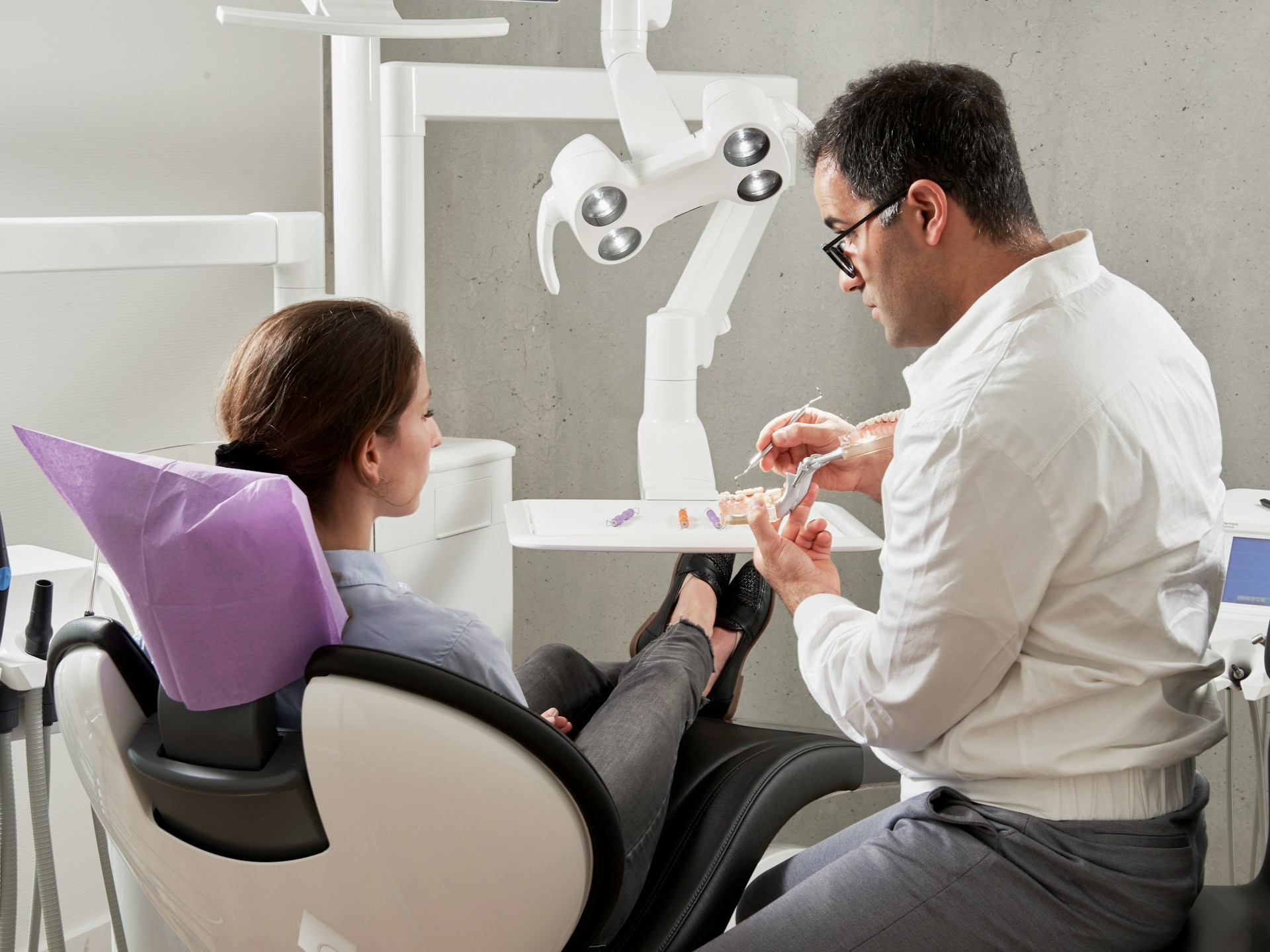
Here are the four ways to verify Delta Dental coverage in 2026: the Delta Dental Provider Tools online portal, the DASI automated phone line at 800-524-0149, the Fast Fax service, and a real-time 270/271 transaction through your practice management software. Delta Dental coverage verification is the process of confirming a patient's active eligibility, plan type (PPO, Premier, DeltaCare USA, or FEDVIP), annual maximum, deductible, frequency limits, and your network status before the appointment. To run any of these methods, you need the subscriber ID, subscriber date of birth, patient date of birth, and your tax ID number on file with Delta Dental.
If your front desk is verifying Delta Dental coverage between back-to-back phone calls, hold-music sessions with the carrier, and the next patient walking through the door, you are not alone. Most dental practices in 2026 still treat dental insurance verification as a fit-it-in task instead of a defined workflow.
Delta Dental, as the largest dental carrier in the United States, is where that gap costs the most. Denied claims, plan downgrades caught at checkout, hours of phone-tag, and patients surprised by a balance they did not expect are the symptoms. The cause is almost always a Delta Dental verification step that was rushed, skipped, or stored in a freeform note nobody can find later.
Knowing how to verify Delta Dental coverage before every appointment is the single most important habit a dental front desk can build in 2026. Practices that confirm eligibility, plan type (PPO, Premier, DeltaCare USA, or FEDVIP), remaining annual maximum, frequency limits, and network status before the patient walks in collect more and write off less. The most common cause of denied dental claims is outdated or unverified insurance information.
This guide walks dental office managers, treatment coordinators, and DSO operations leads through the exact Delta Dental insurance verification process for 2026. You will learn what information to collect, which verification method to use (Provider Tools portal, automated phone line, Fast Fax, or 270/271 transactions), and how to read each plan type. It also covers the mistakes that cost practices the most money and how to scale verification across hundreds of patients a week without burning out your front desk.
To verify Delta Dental coverage in 2026, collect the subscriber ID, date of birth, and the patient's date of birth, then check eligibility through Delta Dental's Provider Tools portal, automated phone line (DASI at 800-524-0149), Fast Fax, or a 270/271 transaction inside your PMS. Confirm plan type (PPO, Premier, DeltaCare USA, FEDVIP), active coverage, remaining maximum, deductible, frequency limits, and your network status before the visit.
Key Takeaways
- Delta Dental offers four primary verification channels in 2026: the Provider Tools online portal, the DASI automated phone service, Fast Fax, and real-time HIPAA-compliant 270/271 transactions through your practice management software (per the NDEDIC EDI Transactions for Dental guide).
- Front desk staff routinely spend 20 to 40 hours a week on manual verifications, and most large DSOs only manage to manually verify about 30% of scheduled patients in any given week, per industry research cited by the Colorado Dental Association.
- Dental claim denial rates run roughly 10% to 15% on initial submission, and verification errors are one of the top drivers, per mConsent's analysis of dental verification costs.
- Automating the dental verification process could save the industry $839 million a year, according to research cited by the Colorado Dental Association.
- Pairing Delta Dental insurance verification with a 24/7 AI receptionist protects two revenue leaks at once: fewer denied claims from cleaner verification, and fewer missed calls from after-hours and overflow coverage.
What Is Delta Dental Coverage Verification?
Delta Dental coverage verification is the process a dental practice uses to confirm, before treatment, that a patient has active Delta Dental insurance, which Delta Dental plan they carry (PPO, Premier, DeltaCare USA, or FEDVIP), what procedures are covered, what cost-share the patient owes, and whether the practice is in or out of network for that specific plan. Verification happens before the appointment, not after, because every claim Delta Dental approves or denies depends on the eligibility and benefit details captured at the verification step.
The two terms patients and staff use interchangeably actually mean different things. Eligibility confirms the patient is currently enrolled in a Delta Dental plan on the date of service. Benefits verification goes further: it spells out the annual maximum, deductible, coinsurance percentages by procedure category, frequency limits (for example, two prophylaxis cleanings per calendar year), waiting periods, missing tooth clauses, dependent age limits, and any pre-authorization requirements. Both checks belong in your standard verification workflow.
A complete Delta Dental eligibility check captures eight data points at minimum:
- Active coverage status on the date of service
- Plan type and product (PPO, Premier, DeltaCare USA, FEDVIP, or a Medicare Advantage dental rider)
- Plan effective date and renewal date
- Annual maximum and amount remaining for the benefit year
- Deductible amount and amount met
- Coinsurance percentages for preventive, basic, and major services
- Frequency limitations on cleanings, exams, X-rays, and other recurring procedures
- Network status for your provider TIN under that specific plan
Capture these eight every time and you significantly reduce the most common variables that cause Delta Dental claims to come back denied or short-paid.
Why Verify Delta Dental Coverage Before Every Visit in 2026
Insurance verification is the highest-leverage front desk task in dentistry, and Delta Dental is the largest dental carrier in the United States, so getting this workflow right protects more revenue than almost any other operational change you can make in 2026.
The cost of skipping or sloppy verification is measurable, even if it is hard to put a single dollar figure on it. mConsent's analysis of manual verification costs and Dental Claim Support's review of verification errors document the same pattern: hours of staff time burned on rework, denial cycles that age accounts receivable, plan downgrades, frequency rejections, missing tooth clauses, and coordination of benefits errors that get caught only after the claim is submitted, plus the lost treatment acceptance that follows when patients learn about coverage gaps at checkout instead of beforehand.
The labor cost is just as real. Industry research summarized by the Colorado Dental Association found that some practices have at least one employee spending 20 to 40 hours a week on manual insurance verifications, and a major DSO with more than 100 locations reported it can only manually verify about 30% of scheduled patients in a typical week. That gap is the difference between collecting on a clean claim and writing off uncollectable balances later.
The denial rate confirms the math. Initial-submission denial rates across dental practices run roughly 10% to 15%, per mConsent, and verification errors are one of the top drivers. Each rework cycle adds 30 to 45 minutes of staff time per claim, plus the 30-day delay before payment lands.
Three trends make Delta Dental verification even more important in 2026:
- Plan changes: The Delta Dental of Kansas notice on 2026 group plan changes lists noteworthy group plan changes effective January 1, 2026, including new fee schedules and benefit structures that will reset assumptions for any patient on those plans.
- Medicare Advantage growth: Delta Dental announced new Medicare Advantage PPO partners for 2026 and a separate set of DHMO partners for 2026, which means more older patients arriving with dental riders attached to medical plans, each with its own verification path.
- Industry-wide automation: Research summarized by the Colorado Dental Association estimates the dental industry could save $839 million a year by automating verification.
Verifying Delta Dental coverage before the visit is not paperwork. It is revenue protection.
Information You Need Before You Verify Delta Dental Coverage
Before you log in, dial the automated line, or send a 270 transaction, gather these items. Missing even one of them sends most verification attempts back to square one. The requirements for any Delta Dental verification channel include:
- Your tax ID number (TIN) on file with Delta Dental. Each provider TIN may have a different network status, so use the TIN tied to the dentist who will perform the treatment.
- Subscriber ID number. This may be the subscriber's Social Security number, an employee ID, or an alternate ID assigned by the subscriber's employer.
- Subscriber date of birth.
- Patient date of birth if the patient is a dependent (spouse, child, or domestic partner).
- Patient first and last name as it appears on the policy.
- Group number, if listed on the insurance card.
- Your fax number, if you intend to request a Fast Fax benefits summary.
- The procedure codes the patient is scheduled for, so you can confirm coverage at the CDT code level rather than at the category level.
For DeltaCare USA patients, also note the assigned primary care dentist. DeltaCare USA is a DHMO product and only the assigned dentist (or an authorized referral) is in network, so verifying the assignment matters more than verifying the network.
For federal employees with the FEDVIP Delta Dental plan, use Delta Dental's federal-specific verification path, which has its own provider login and benefit structure.
How to Verify Delta Dental Coverage: Step-by-Step
Use this six-step Delta Dental verification process for every new patient and every existing patient at the start of each plan year. The same flow works whether you are verifying one patient at a time or running a full daily schedule.
To verify Delta Dental coverage in 2026:
- Identify the plan type: confirm whether the patient has Delta Dental PPO, Premier, DeltaCare USA, or FEDVIP from their insurance card
- Gather required information: subscriber ID, subscriber and patient date of birth, your TIN, and the scheduled procedure codes
- Log in to Provider Tools: at the Delta Dental Provider Tools portal, select Eligibility & Benefits, then choose Existing or New patient
- Enter patient details: first name, last name, and date of birth, then click Find Patient to confirm active coverage status
- Capture benefit details: annual maximum, deductible, coinsurance percentages, frequency limits, and network status for your TIN
- Document and communicate: attach the benefits summary to the patient chart and share the estimated out-of-pocket cost before the visit
Step 1: Identify the Delta Dental Plan Type
Before choosing a verification channel, identify which Delta Dental product the patient carries. The patient's insurance card and group documents typically name the plan. The four plan families you will see most often are:
- Delta Dental PPO (a PPO with the largest network discount)
- Delta Dental Premier (a fee-for-service plan with a broader network and smaller discount)
- DeltaCare USA (a DHMO with assigned primary dentists and copay schedules)
- FEDVIP Delta Dental (the Federal Employees Dental and Vision Insurance Program plan)
A patient on a Delta Dental PPO plan also has access to the Delta Dental Premier network as a safety net, per Delta Dental's brokers' explanation of how the dual networks work. If your dentist participates in PPO and Premier separately, your network status, fee schedule, and patient cost share will all change based on which network the plan defaults to. Confirm the network at this step, not later.
Step 2: Choose Your Verification Method
Select the channel that fits the case load. For a single patient, the Provider Tools portal is often the quickest option. For a batch of patients, a 270/271 batch transaction through your PMS is typically the most efficient approach for bulk schedule lookups. For nuanced questions (like a non-standard waiting period or a pre-existing exclusion), the automated phone line gives you the option to escalate to a live agent.
Step 3 below uses the Provider Tools portal because it works for every plan type and produces a printable benefits page you can save to the patient chart.
Step 3: Submit the Eligibility Request
Log in to the Delta Dental Provider Tools portal with your Delta Dental account. From the dashboard:
- Select Eligibility & Benefits.
- Choose Existing patient if the patient has been seen before, or New patient otherwise.
- For a new patient, enter the patient's first name, last name, and date of birth.
- Select Find Patient to pull the live eligibility record.
- Confirm that the eligibility status reads Active for today's date.
If the portal returns "no match," double-check the spelling of the subscriber's name and the date of birth, then try the subscriber ID directly. If the patient is a dependent, search for the subscriber first and then drill into the dependent record.
Step 4: Capture Plan-Specific Benefits
Once eligibility is confirmed, click into the benefits view and capture the eight data points that drive every claim:
- Plan type and product name
- Plan year (calendar year or contract year) and renewal date
- Annual maximum and remaining benefit
- Deductible (individual and family) and amount met
- Coinsurance percentages for preventive, basic, and major services
- Frequency limits on cleanings, exams, X-rays, perio maintenance, and fluoride
- Waiting periods, missing tooth clauses, and dependent age limits
- Pre-authorization requirements for major services
Save the benefits summary to the patient chart. If the chart sits in your practice management software, attach the PDF or paste the structured data into the verification field rather than leaving it as a freeform note.
Step 5: Confirm Network Status
Network status is the line item that most often turns a clean verification into a billing surprise. The same dentist can be in-network for Delta Dental PPO and out-of-network for a different employer-sponsored Delta Dental plan that uses a smaller network. Confirm two things:
- The TIN you used in the lookup matches the TIN you will bill under.
- The plan's network includes that TIN for the procedure category in question.
When network status is unclear, call the DASI automated line (800-524-0149) and request a verbal confirmation. Document the call reference number in the patient chart.
Step 6: Document and Communicate to the Patient
Verification is only valuable if the front desk and the treatment coordinator can both find it. Standardize three documentation steps:
- Attach the benefits summary to the patient chart in your PMS.
- Update the insurance fields in your PMS (subscriber ID, group number, plan type, effective date, renewal date, deductible, maximum).
- Share the patient's estimated out-of-pocket cost in writing or by secure message before the visit, so there are no billing surprises at checkout.
Practices that share a written estimate before the appointment collect more reliably and see fewer post-treatment disputes. The verification step is also when you should confirm any required pre-authorization, especially for crowns, implants, periodontal surgery, and orthodontic case starts.
Which Delta Dental Verification Method Is Right for You?
Delta Dental supports four verification methods in 2026. Each has a different trade-off between speed, depth of detail, and how easily it scales.
Most practices use a mix: 270/271 transactions for the daily schedule, the Provider Tools portal for new patients, and the DASI phone line for ambiguous cases. Verifying Delta Dental benefits this way moves the workflow from reactive (verify when you have time) to proactive (verify the entire schedule the night before).
Delta Dental Plan Types: PPO, Premier, DeltaCare USA, FEDVIP
Each Delta Dental plan family has its own verification quirks. Knowing them in advance saves rework.
Delta Dental PPO
The PPO plan is the largest Delta Dental product. Per Delta Dental of Washington's PPO vs Premier explainer, PPO dentists agree to lower contracted rates, so the patient typically pays the least when seen by a PPO-network dentist. PPO members also have access to the Premier network as a fallback. When verifying, confirm whether your TIN is in PPO, Premier, or both, because the fee schedule is different in each.
Delta Dental Premier
Premier is a fee-for-service plan with a wider network and smaller discount, per the same Delta Dental of Washington explainer. Verification looks similar to PPO, but the patient cost-share is usually higher. Confirm the maximum approved fee for each procedure category.
DeltaCare USA
DeltaCare USA is a DHMO. The patient is assigned (or selects) a primary care dentist, and most services have fixed copays rather than coinsurance. Out-of-network services are generally not covered except for emergencies, per Delta Dental's plan comparison page. When verifying DeltaCare USA, confirm two things first: the assigned primary dentist matches your office, and any specialist work has a valid referral on file.
FEDVIP Delta Dental
FEDVIP is the Federal Employees Dental and Vision Insurance Program. Eligibility lookups use a separate FEDVIP provider portal, and the 2026 FEDVIP brochure lays out the plan-year benefit structure. VADIP (the Veterans Affairs Dental Insurance Program) uses a separate VADIP verification path. Treat federal patients as their own verification track in your daily checklist.
Medicare Advantage Dental Riders
Medicare Advantage dental plans powered by Delta Dental are growing for 2026. The Delta Dental Benefit for SCAN Medicare Advantage Plans is one example. These riders verify under the medical plan's group structure, not under a stand-alone dental policy, so the lookup path can be different. Identify the rider during the appointment booking call to avoid the day-of-service scramble.
Common Mistakes to Avoid During Delta Dental Verification
These five mistakes account for most of the denied claims and write-offs that show up in the next month's aging report.
- Verifying eligibility but not benefits. A patient can be active on a plan that does not cover the procedure you scheduled. Always verify both.
- Trusting the patient's verbal description of the plan. Patients routinely confuse PPO with Premier, or assume their employer "just has Delta Dental" without specifying the product. Always verify against the carrier directly.
- Skipping the network check. Two practices in the same building can have different network status under the same Delta Dental plan. Verify your specific TIN.
- Not re-verifying at the start of the plan year. Annual maximums reset, deductibles reset, and employers occasionally switch carriers or products at renewal. Re-verify every patient at the start of each benefit year.
- Storing verification results in a freeform note. If the data is not in structured PMS fields, it is invisible to billing software, dashboards, and the next staff member who opens the chart.
How an AI Receptionist Speeds Up Delta Dental Verification
The verification workflow above is straightforward to describe and difficult to scale. Most Delta Dental insurance verification work happens by phone, during business hours, on top of every other front desk task. The bottleneck is people, not process.
Arini is the AI receptionist purpose-built for dental practices. Arini answers every inbound call 24/7 in under 300 milliseconds, books appointments directly into OpenDental, EagleSoft, Denticon, and other leading practice management systems, and is fully HIPAA compliant. Patients experience a natural, professional conversation on every call, with no indication they are speaking with an AI. Practices using Arini have reported a 12% revenue increase at Unified Dental Care and $56K in new patient appointments captured in month one at Kare Mobile. As Arini expands into insurance verification workflows, the same AI that captures the appointment can also capture the subscriber ID, group number, and date of birth on the booking call, so the verification queue is preloaded by the time the front desk opens.
Three ways an AI receptionist supports Delta Dental verification:
- Capture the right data on the call. When Arini answers a new patient call, it can collect the Delta Dental subscriber ID, group number, plan type, and dates of birth in the natural flow of booking, so the chart is verification-ready before the appointment.
- Free up the front desk. When the AI receptionist handles inbound calls, the front desk recovers the 20 to 40 hours a week that would otherwise go to phone-tag and intake, per the staff time figures cited by the Colorado Dental Association. That time can move directly into Delta Dental benefits verification.
- Cover after-hours and overflow. Patients call after work, on weekends, and during lunch. A 24/7 AI receptionist captures those calls and queues the verification request for the next business day, so no patient goes unverified because they called outside business hours.
The combined effect is straightforward: fewer missed calls and faster, more accurate Delta Dental verification on the calls that do come in.
Advanced Tips for Verifying Delta Dental Benefits at Scale
Once the basic workflow is in place, three optimizations move verification from reactive to proactive.
Run the Daily Schedule the Night Before
Build a nightly job that pulls every Delta Dental patient on tomorrow's schedule and submits a 270 eligibility request. Review any failed lookups first thing in the morning so the front desk can call the patient before they arrive.
Standardize Your Verification Form
Create a single Delta Dental verification template in your PMS with structured fields for every data point: plan type, effective date, renewal date, annual maximum, remaining maximum, deductible, deductible met, coinsurance by category, frequency limits, waiting periods, missing tooth clause, dependent age limits, pre-authorization requirements, and network status. Standard fields make the data searchable, reportable, and reusable.
Re-verify at the Start of Every Benefit Year
Most Delta Dental plans run on a calendar year. Schedule a January re-verification sweep for every active Delta Dental patient. Capture the new annual maximum, the reset deductible, and any plan changes flagged in the 2026 Delta Dental dentist handbook or in the 2026 group plan change notice.
Use Pre-authorization for High-Dollar Procedures
For crowns, implants, perio surgery, and orthodontic case starts, submit a pre-authorization in addition to the verification. The pre-auth gives you a written commitment from Delta Dental on coverage and patient cost share, which protects the practice and the patient if the claim is later questioned.
Track Verification Quality as a KPI
Most practices track production and collections. Few track verification quality. A simple weekly KPI (percentage of scheduled patients with verified Delta Dental benefits documented in structured PMS fields) makes the gap visible and gives the front desk a clear target.
Frequently Asked Questions
How do I verify Delta Dental coverage online?
Log in to the Delta Dental Provider Tools portal, select Eligibility & Benefits, choose Existing or New patient, enter the patient's first name, last name, and date of birth, and click Find Patient. The portal returns active eligibility status, plan type, annual maximum, deductible, coinsurance percentages, and frequency limits.
What phone number do I use to verify Delta Dental benefits?
Call DASI, the Delta Dental automated voice response system, at 800-524-0149 for Delta Dental PPO, Delta Dental Premier, and DeltaCare USA patients. Have your TIN, the subscriber ID, the subscriber date of birth, and the patient date of birth ready before you dial.
What Details Do I Need to Verify Delta Dental Coverage?
You need your tax ID number on file with Delta Dental, the subscriber ID, the subscriber date of birth, the patient date of birth (for dependents), the patient's full name, and the procedure codes you are verifying coverage for. A fax number is also required if you plan to use Fast Fax.
How is Delta Dental PPO different from Delta Dental Premier?
Delta Dental PPO uses a smaller network of dentists who agreed to deeper contracted discounts, so the patient cost-share is usually lower at PPO-network offices. Delta Dental Premier is a larger fee-for-service network with smaller discounts. Per Delta Dental's network explainer, PPO members can also use Premier dentists as a safety net, often at a different patient cost.
How do I verify a DeltaCare USA patient?
DeltaCare USA is a DHMO with assigned primary dentists. Confirm the patient's assigned dentist matches your office and that any specialist work has a valid referral on file before treatment. Use the Provider Tools portal or the DASI line to confirm the assignment, copay schedule, and any pre-authorization requirements.
How do I verify FEDVIP and VADIP Delta Dental patients?
Federal employee patients use a separate FEDVIP verification path, and Veterans Affairs patients use a VADIP verification path. Each has its own provider login, benefit structure, and renewal cycle. Verify federal patients as a separate track in your daily checklist.
Can Your PMS Verify Delta Dental Coverage Automatically?
Yes. Delta Dental supports a real-time, HIPAA-compliant 270/271 transaction that runs through your EDI clearinghouse and your practice management software, per the NDEDIC EDI Transactions for Dental guide. The 270 request returns enrollment verification and benefit highlights in seconds, making it an efficient way to verify your entire daily schedule at once.
How often should I re-verify Delta Dental coverage?
Re-verify every patient at the start of each benefit year (most Delta Dental plans run on a calendar year), any time the patient's employer or coverage changes, and before any high-dollar procedure (crowns, implants, periodontal surgery, orthodontic case starts). Quick eligibility checks before every visit catch mid-year terminations and plan changes.
How long does Delta Dental verification take?
Delta Dental verification takes between 30 seconds and 10 minutes depending on the method. The 270/271 PMS integration returns results in seconds; the Provider Tools portal takes under 2 minutes per patient; the DASI phone line (800-524-0149) takes 4 to 8 minutes; and the Fast Fax service delivers a benefits summary in approximately 10 minutes.
Can a patient verify their own Delta Dental coverage?
Yes. Delta Dental members can log in to the Delta Dental member portal or call the member services number on their insurance card to confirm their own eligibility, annual maximum, deductible, and covered services. However, provider-specific details (such as your contracted fee schedule, network status, and remaining frequency limits under a specific TIN) must be verified directly by the dental office through the Provider Tools portal or DASI line.
Is Delta Dental Coverage Verification Free for Providers?
Yes. Delta Dental's Provider Tools portal, DASI automated phone line, and Fast Fax service are all provided at no charge for participating Delta Dental providers. Real-time 270/271 eligibility transactions may carry a small per-transaction fee from your EDI clearinghouse or practice management software vendor, but Delta Dental itself does not charge providers to verify patient eligibility or benefits.
Next Steps for Your Practice
Verifying Delta Dental coverage is the highest-leverage front desk habit in 2026. The practices that do it consistently see fewer denied claims, faster collections, and happier patients at checkout. The practices that skip it leave significant revenue on the table from denied claims, write-offs, and rework cycles.
If your front desk is already at capacity, the bottleneck is the phone, not the verification process itself. An AI receptionist that answers every call 24/7, captures the subscriber ID and plan details on the booking call, and routes the verification queue directly to the front desk is the leverage point.
Book a Demo to see how an AI dental receptionist captures Delta Dental insurance details on every call so your team can verify coverage before the patient walks in.
.jpg)
.jpg)


